The app will allow control of the following features on your camera:
Start / Stop Recording
Preview the live video
Change Video Resolution
Time Lapse Option
Loop Record Option
Change Video Segment Time
Select Audio ON/OFF
Select Date Time Stamp ON/OFF
Select Image Size 12MP or 5MP
Select Auto Power ON/OFF
Format SD card
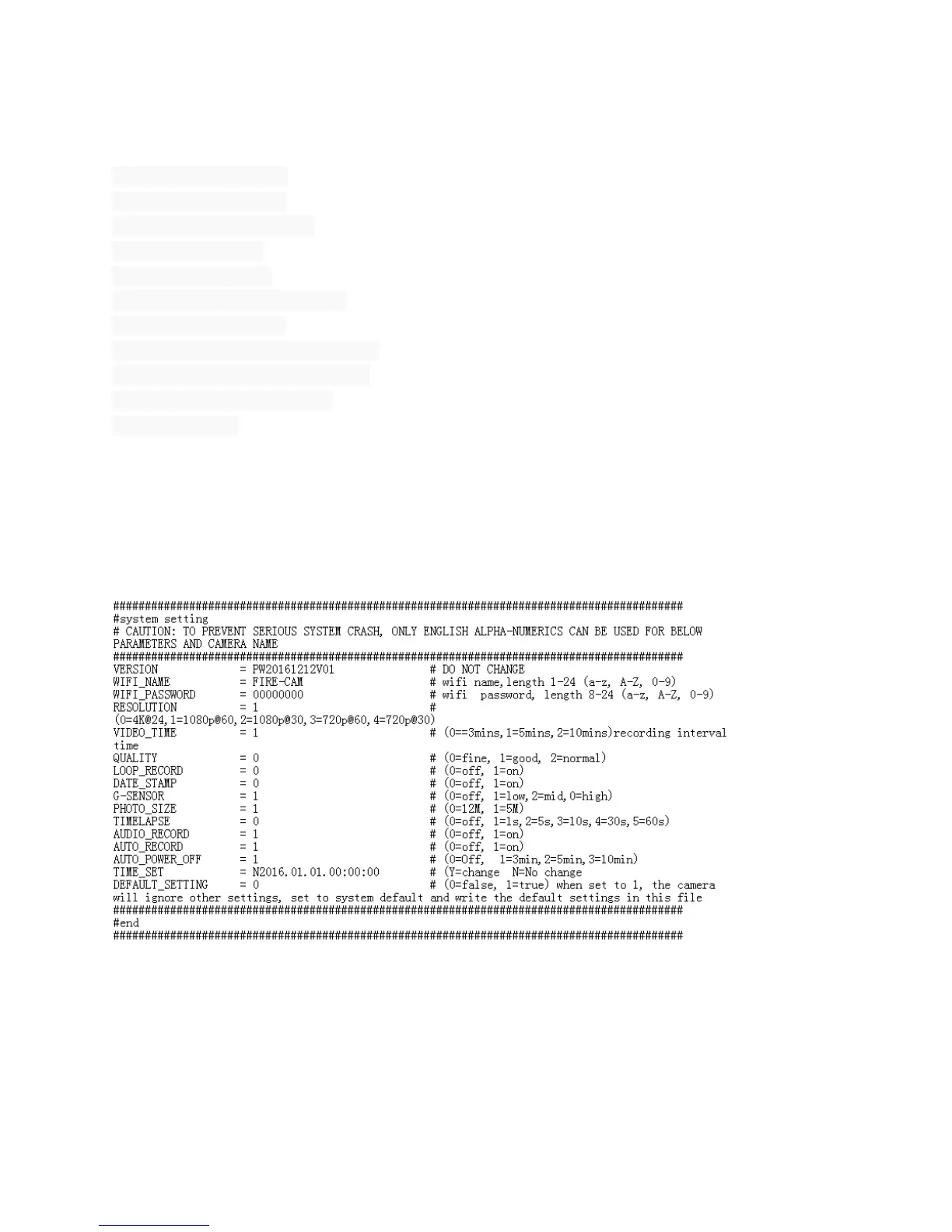
Basic Settings Via SETTINGS.TXT File
You can also change the settings via the SETTINGS.TXT file. Make sure you click SAVE and
the file will be created automatically on the micro SD card after the camera is turned ON. It is
highly recommended that you use the smartphone App instead.


 To Next Page