5
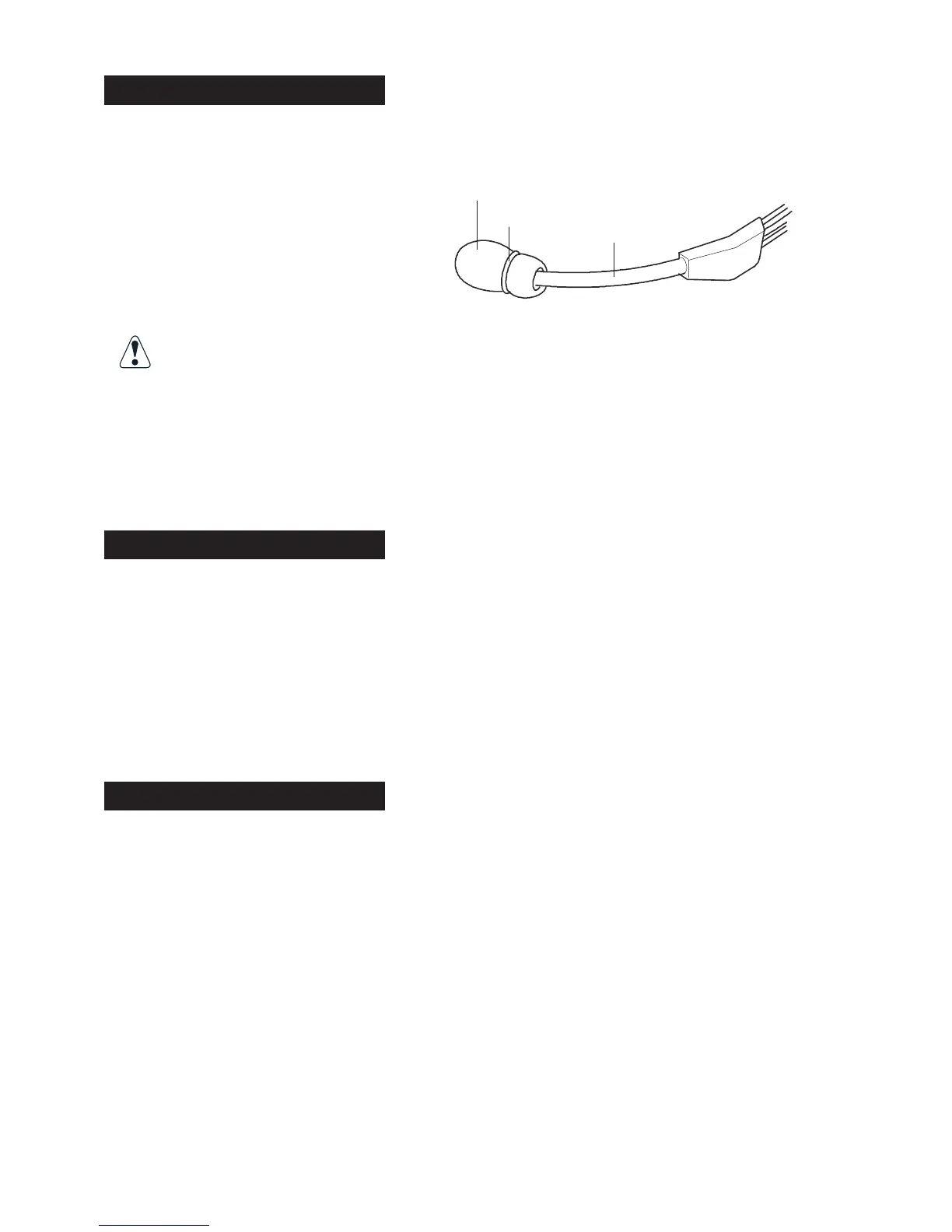
Mic Muffs
The headset microphone is covered with a washable, replaceable foam mic muff. This mic
muff helps prevent the “pops” and “hisses” that can occur from speaking into a microphone
that is close to the mouth.
To clean or replace the mic muff:
1. Remove the o-ring.
2. Slip the mic muff off the microphone.
3. At this time, you can decide whether
to clean or replace the mic muff.
If you clean the mic muff, use a mild detergent, rinse it out well and let it
dry completely before re-installing it on the microphone.
4. Slide the mic muff on the microphone.
5. Install the o-ring on the mic muff to secure it.
Replacement mic muffs may be ordered from Firecom.
Intercom Communication
Model-10; has a red momentary PTT button. The microphone is always live for intercom
communication. Press and hold PTT to transmit over vehicle radio.
Model-20; has a black momentary PTT button. Press and hold PTT to activate the micro-
phone for intercom communication. Radio transmitting is not possible with the -20 models.
Model-40; has a white momentary PTT button. Press and release PTT to activate the micro-
phone for intercom communication. Radio transmitting is not possible with the -40 models.
Pairing Procedure
1. Press and hold the pairing button on the front panel of the base station for approximately
5-7 seconds until the yellow LED(s) on the front panel of the base station start flashing,
indicating that the base station has entered pairing mode. Once the base station is placed
in pairing mode, the user has approximately15 seconds to place the headset in pairing mode.
2. Press and hold the PTT button, turn on power to the headset. After approximately 5 seconds,
the green and red LEDs on the outside of the left ear dome will start flashing in a relatively
fast alternating pattern. Release the PTT button.
3. Monitor the green and red LEDs on the left ear dome of the headset. After about 5-7
seconds, the alternating flashing pattern ends, the green LED will flash rapidly for two seconds
and then the green and red LEDs resume normal operation (as stated in the section titled
“LED Indicators”) to indicate that the headset is paired and linked to the base station. The
respective LINK LED on the base station will illuminate steadily after flashing rapidly for
two seconds to indicate that a link to the headset has been established.
Mic muff
O-ring
Mic boom


 To Next Page
 Loading...