7
Charging
Ensure that the headset is fully charged prior to operating for the first time.
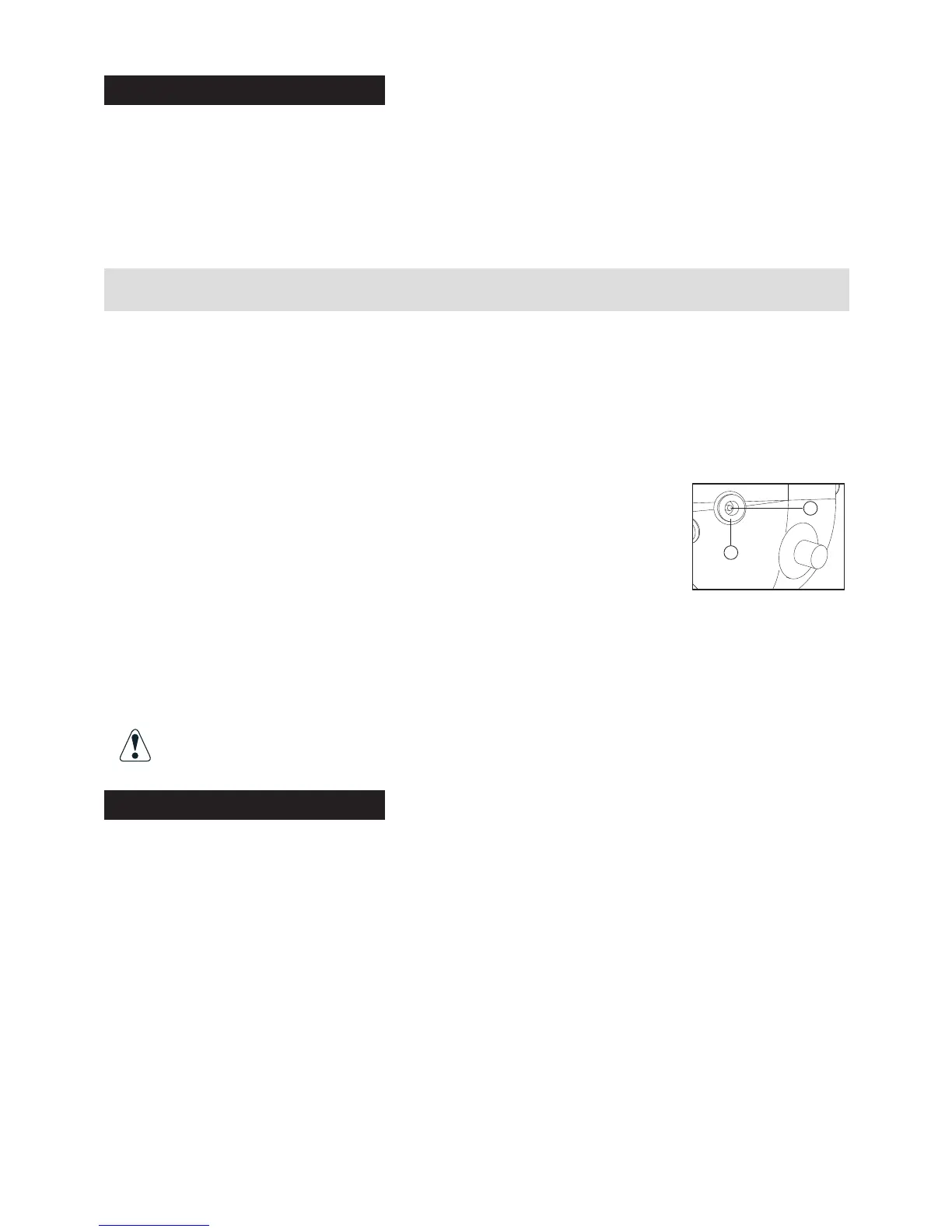
Wireless headsets have a charger jack located on the right ear dome. A charger cable
assembly is provided with the headset. The unterminated end of the charger cable shall be
wired to a fused slot in the vehicle’s fuse box using the fuse holder assembly and 500mA fuse
supplied. Plug the terminated end of the charger cable into the headset charger jack (refer to
the “LED Indicators” section for proper operation of the battery charging red LED indicator).
NOTICE: FUSE ASSEMBLY INSTALLATION
Firecom fuse holder is to be installed within 18" from the battery source in-line with your
charging cable assembly when power from a vehicle is used for recharging your wireless
product.
Only use a 500mA fuse (supplied) with the charging cable assembly.
NOTES:
1. Observe correct polarity when connecting the charger cable
to 12V from the vehicle. Connect the white striped black wire
to +12V and the solid black wire to GND. This will result in a
positive center terminal of the 2.1mm charger jack as shown
in the illustration.
2. Firecom does not recommend operating the headset while the headset is being
charged. It is recommended that the headset be charged only when it’s not
being operated and with the power switch on the headset turned off.
Firecom recommends charging the wireless headset using the supplied
9VDC regulated wall adapter, when possible.
WARNING! The use of an unregulated wall adapter will damage the
charging circuit and components and will void the warranty.
Reset
In rare cases, resetting the headset may become necessary.
With the power switch turned on, plug the charger plug into the charger jack on the right ear
dome. The system will reset, both red and green LEDs will illuminate for approximately two
seconds after which the headset will resume normal operation.
NOTES:
1. In case the battery is deeply discharged, no LED indication will be possible until
the battery is partly charged to an operable voltage level.
2. Plugging the charger plug into the headset at anytime will cause the headset
to reset even when the headset is linked to a base station. Resetting a
connected headset will result in losing the link for about 10 -12 second
+
–


 To Next Page
 Loading...