REV. 10-18-19 Page 5
PAVER-CP-MT/ PAVER-CP-MSI
Step 1: Remove the burner pan from the enclosure (if
applicable) or remove the re pit from the carton.
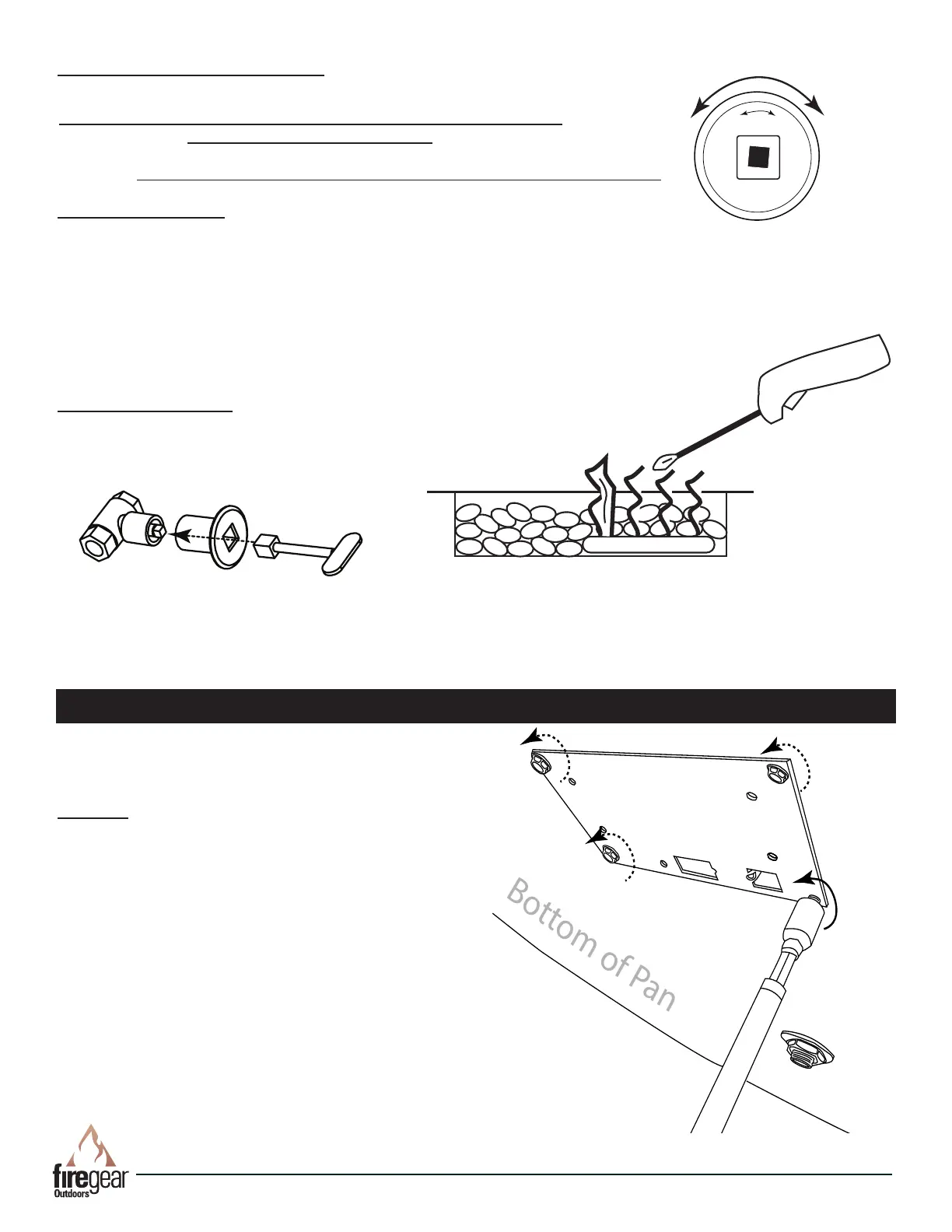
Step 2: Invert the burner pan up side down and remove
the four hex head screws from the cover plate. See Fig. 12.
Discard cover plate after removal.
Tools Needed: Power Screwdriver with a,
5
/
16
” hex head
tip or a
5
/
16
” nut driver.
Fig. 12. Removing 4 cover plate screws.
CAUTION: Turn OFF main gas supply before installing.
PAVER-CP-MT-MSI INSTRUCTIONS
MT LIGHTING INSTRUCTIONS
Key
Fig. 10 Inserting Key into Valve
ON
OFF
Fig. 9. Key Valve Face
Butane Lighter
Fig. 11 Lighting re pit with lighter
READ ALL WARNING AND SAFETY INFORMATION ABOVE BEFORE
ATTEMPTING TO LIGHT FIRE PIT
CAUTION: ENSURE YOU HAVE LEAK TESTED THE FIRE PIT BEFORE OPERATING
TURNING ON FIRE PIT
1. Insert key into shut-off valve and secure into square end (see Figs 9-11).
2. Light a long match or butane lighter and hold it near the burner.
3. Turn the key slowly counter-clockwise in gas valve (until it stops) to allow gas to ow
and simultaneously apply the long burning match or Butane lighter as close to the end
burner as possible to light the re pit.
4. Gas should ignite within 10 seconds or less. If re pit does not light within 10 seconds
turn key clockwise to turn OFF the gas supply. Ensure there is not too much media on
top of the burner that might inhibit gas ow and try again in 5-minutes.
TURNING OFF FIRE PIT
1. Insert key into shut-off valve and secure into square end.
2. Turn key clockwise until it stops.
3. After cooling off install cover.



 To Next Page