EasyManua.ls Logo

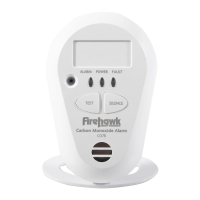
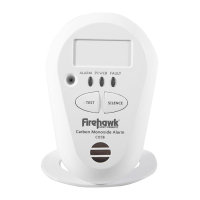
Firehawk CO7B User Manual

Firehawk CO7B
2 pages
To Next Page IconTo Next Page
Page #1 background imageLoading...
Page #1 background image
PLEASE read all instructions BEFORE beginning to pair a system!
1.0 Plug alarm into pattress and switch on radio
base, the pattress led will flash green twice per
second. If not please complete step 6.0
2.0 Bring alarm & radio base together then twist/slide to lock into place.
3.1 Group the alarms on the right hand side of your
table, then place two alarms in front of you spaced
approximately 20cm APART.
3.2 Press the TEST BUTTON on one alarm and wait
THREE SECONDS.
3.3 Press the TEST BUTTON on the other alarm.
3.4 Watch carefully as both alarms FLASH GREEN
AND RED
3.5 As soon as one FLASHES GREEN ONLY, move it to the left of the table.
3.6 The other alarm will continue to FLASH GREEN AND RED until it BEEPS ,then it will
FLASH GREEN (CO
x4) THE TWO ALARMS ARE NOW PAIRED.
3.7 There is now a 10 SECOND WINDOW to allow another device to be added to the system
If no other devices are to be added proceed to Step 5.0
Connect and assemble all of the alarms in your system before starting the pairing process.
Wait for smoke or heat alarm to BEEP
TWICE Wait for the CO alarm to BEEP
FOUR TIMES
1
CONNECT
2
ALARM ASSEMBLY
3
PAIRING TWO ALARMS
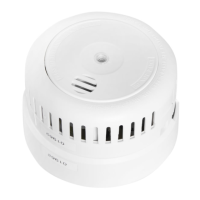
SMOKE ALARM FHB10W HEAT ALARM FHH10W CO ALARM CO7B (10Y)W
20cm
PAIRED
PRESS
& WAIT
FOR 3
SECS.
3.1 3.2 3.3 3.4 3.5
3.2 3.3
PAIRED
20cm
UNPAIRED
ALARM(S)
Pairing Radio Linked Alarms Instructions

Other manuals for Firehawk CO7B

Question and Answer IconNeed help?

Do you have a question about the Firehawk CO7B and is the answer not in the manual?

Firehawk CO7B Specifications

General IconGeneral
Sensor TypeElectrochemical
Power SourceBattery
Battery Life7 years
Test/Reset ButtonYes
End of Life IndicatorYes
Alarm TypeCarbon Monoxide
Battery TypeLithium
Alarm Sound Level85 dB
Operating Temperature40°F to 100°F (4°C to 38°C)
Operating Humidity10% to 95% (non-condensing)
ComplianceCE

Summary

Connect Radio Base

Plug in and switch on radio base

Connect the alarm to the pattress and activate the radio base, observing the LED indicator.

Alarm Assembly

Assemble alarms and radio base

Twist or slide the alarm and radio base together to lock them into place.

Pairing Two Alarms

Position and prepare alarms for pairing

Group and space two alarms, then press their test buttons sequentially.

Monitor flashing and beeping indicators

Observe LED indicators and listen for beeps to confirm pairing status.

Add subsequent devices within 10 seconds

A 10-second window allows adding more devices after successful pairing.

Pairing Additional Alarms

Add more alarms to the system

Place a paired alarm near an unpaired one and press test buttons to add it.

Finalize Pairing and Test

Allow pairing window to elapse

Let the 10-second window pass to complete the pairing process.

Perform system-wide test

Press the test button on one alarm to ensure all paired alarms sound correctly.

Device Reset Procedure

Reset the pattress

Remove the alarm and press the black button on the pattress to restore factory settings.

Related product manuals