EasyManua.ls Logo

Firgelli FA-SYNC-2 User Manual

Firgelli FA-SYNC-2
4 pages
To Next Page IconTo Next Page
Page #1 background imageLoading...
Page #1 background image
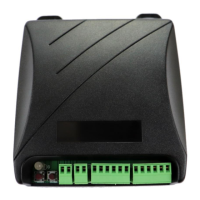
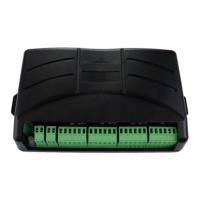
FA-SYNC-2 Synchronous Control Board User Manual
The Firgelli Automation FA-SYNC-2 Synchronous Control Board allows you to move two
actuators in step with the same speed irrespective of load. Unsynchronized actuators can lead
to bending loads which is likely to be disastrous for both the load and the actuator. Common
applications include, but are not limited to: wine cellar trapdoors, RV roof lifts, tonneau covers,
and table lifts.
This board only works with a select few actuators with inbuilt feedback sensors. Actuators must
be of the same type, stroke length, and force. Using different actuators will not work.
Compatible actuators: Bullet 36 Cal, Bullet 50 Cal, Optical Series 200lb, and Optical Series 400lb
Not compatible: Bullet Mini, Bullet 23 Cal, Optical Series 35lb, and all other types of actuator
Question and Answer IconNeed help?

Do you have a question about the Firgelli FA-SYNC-2 and is the answer not in the manual?

Firgelli FA-SYNC-2 Specifications

General IconGeneral
BrandFirgelli
ModelFA-SYNC-2
CategoryControl Unit
LanguageEnglish

Summary

Connecting the FA-SYNC-2

User Input Terminal Block

Connects to a toggle switch or Firgelli's 2 Channel Remote Control Board.

Power Input Terminal Block

For 12V DC power input, requires 12V at 10 amps. Do not reverse polarity.

Actuator Terminal Blocks

Six-pin green terminal blocks for connecting actuators to the control board.

Calibrating the FA-SYNC-2

Calibration Preparation

Ensure actuators are on a table, not connected to load, and confirm wiring.

Initiate Actuator Movement

Press HOME to retract, then hold HOME to extend and pause actuators.

Calibration Completion

Relays click multiple times after retraction indicating successful calibration.

Operating the FA-SYNC-2

LED Display Status Indicators

Explains meanings of green, flashing green, orange, and red indicator lights.

Troubleshooting Common Issues

Addresses wiring, power, synchronization failures, and calibration repetition.

Related product manuals