Need help?
Do you have a question about the Firich Enterprise Aer PPC series and is the answer not in the manual?
Document copyright and usage rights statement.
Log of document version changes and dates.
Essential precautions for safe operation and handling of the equipment.
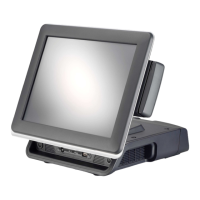
Introduction to the PP-9645 Aer PPC, its design, and core capabilities.
Step-by-step guide on how to disassemble the PP-9645 for maintenance.
Specifications for physical size and installation mounting options.
Detailed explanation of available input/output ports and their types.
List of standard and optional accessories included with the PP-9645.
Instructions for installing or replacing 2.5" SATA storage devices (HDD/SSD).
Guide for installing MSR, iButton, RFID, or FingerPrint devices.
Configuring power settings for serial (COM) and cash drawer ports via BIOS.
Steps for managing cables and installing the cable cover for a tidy setup.
How to adjust the display's LED backlight brightness levels through BIOS settings.
Instructions for installing customer-facing VFD or LCM displays.
Guide for connecting and mounting a secondary pole-type monitor.
Details on cash drawer connection, parameters, and operation using the cashdrawer.ini file.
Step-by-step process for installing the operating system on the device.
General sequence for installing essential device drivers for the system.
Guide for installing the Intel H81 chipset drivers and utilities.
Instructions for installing the Intel graphics (VGA) driver.
Procedure for applying Intel ME update hotfixes for system stability.
Steps to install the Intel Management Engine (ME) driver.
Guide for installing the system's audio drivers for sound output.
Instructions for installing the Local Area Network (LAN) driver for network connectivity.
Steps to install the USB 3.0 drivers for enhanced high-speed data transfer.
Detailed instructions for installing and configuring the EETI TouchKit software.
How to use the EETI TouchKit control panel for calibration and settings.
Guide for installing the ELO TouchKit tools, including running as administrator.
Steps to update the firmware for the ELO TouchKit control panel to the latest version.
Performing the T15 test on the ELO TouchKit control panel for validation.
Instructions for installing the Wireless LAN driver for Wi-Fi connectivity.
Technical details of system components, display, and peripherals like VFD, LCM, and 2nd Display.
Solutions for common problems with the touch panel and OSD buttons.
Troubleshooting steps for storage detection, MSR, and LAN connection problems.
Diagnosing and resolving problems with COM ports and cash drawer ports.
 General
| Display Type | TFT LCD |
|---|---|
| Storage | SSD |
| Display Size | 15 inch |
| Resolution | 1024 x 768 |
| Touchscreen | Resistive |
| Operating System | Windows 7, Linux |
| Ports | USB 2.0, Ethernet, VGA |
| Operating Temperature | 0°C |


 To Next Page