Need help?
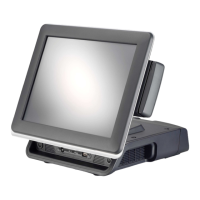
Do you have a question about the Firich Enterprise MP-3435 and is the answer not in the manual?
Step-by-step instructions for installing a 2.5-inch hard disk drive into the system.
Step-by-step guide for installing the Intel chipset drivers for Windows XP.
Instructions for installing the Video Graphics Array (VGA) driver for the system.
Guide on how to install the Local Area Network (LAN) driver for network connectivity.
Detailed process for installing and configuring the ELO touchscreen drivers and control panel.
Detailed technical specifications for the MP-3435 model, including hardware and system configuration.
Explains the pin configurations for various input/output connectors on the system.
Provides solutions for common problems related to the touch panel not working or calibrating.
 General
| Resolution | 1366 x 768 |
|---|---|
| Memory | DDR3L |
| Storage | 64GB SSD |
| Touch Screen | Projected Capacitive Touch |
| I/O Ports | RJ45 |
| Operating System | Windows 10 IoT Enterprise |
| Power Supply | 12V |


 To Next Page