EasyManua.ls Logo

First Alert BRK Series - User Manual

First Alert BRK Series
8 pages
Print Icon
To Next Page IconTo Next Page
Loading...
Decoy Camera
user
,
S manual
MODEL
PRO-DC5 Indoor/Outdoor Low Light
Activated Decoy Camera
BRK Series
INDOOR/OUTDOOR
LOW LIGHT
ACTIVATED
Question and Answer IconNeed help?

Do you have a question about the First Alert BRK Series and is the answer not in the manual?

Summary

Introduction

Welcome

Provides an overview and welcome message for the user manual.

Product Overview

Package Contents

Lists all items included in the product packaging, such as the camera and manual.

Main Description

Details the realistic non-functioning decoy camera's purpose as a deterrent.

Camera Main Features

Highlights key features like low light activation and indoor/outdoor use.

Safety

Safety Precautions

Outlines crucial safety warnings and handling advice for the camera.

Parts of This Decoy Camera

Identifies and labels the various components of the decoy camera.

Installation

Installing Camera

Step-by-step instructions for physically mounting and assembling the camera.

Install Batteries

Details the process for inserting batteries into the camera compartment.

Battery Replacement Instructions

Provides guidance on proper battery selection, installation, and removal.

Technical Specifications

Specifications Table

Lists the detailed technical attributes and dimensions of the decoy camera.

Warranty

Product Limited Warranty

Explains the terms, conditions, and duration of the product's limited warranty.

Warranty Exclusions

Lists specific conditions and circumstances that are not covered by the warranty.

Obtaining Service

Guides users on how to contact customer support for warranty service.

Summary

Introduction

Welcome

Provides an overview and welcome message for the user manual.

Product Overview

Package Contents

Lists all items included in the product packaging, such as the camera and manual.

Main Description

Details the realistic non-functioning decoy camera's purpose as a deterrent.

Camera Main Features

Highlights key features like low light activation and indoor/outdoor use.

Safety

Safety Precautions

Outlines crucial safety warnings and handling advice for the camera.

Parts of This Decoy Camera

Identifies and labels the various components of the decoy camera.

Installation

Installing Camera

Step-by-step instructions for physically mounting and assembling the camera.

Install Batteries

Details the process for inserting batteries into the camera compartment.

Battery Replacement Instructions

Provides guidance on proper battery selection, installation, and removal.

Technical Specifications

Specifications Table

Lists the detailed technical attributes and dimensions of the decoy camera.

Warranty

Product Limited Warranty

Explains the terms, conditions, and duration of the product's limited warranty.

Warranty Exclusions

Lists specific conditions and circumstances that are not covered by the warranty.

Obtaining Service

Guides users on how to contact customer support for warranty service.

Overview

This document is the user's manual for the First Alert BRK Series PRO-DC5 Decoy Camera. It describes a non-functioning decoy camera designed to create the illusion of a working security system. The camera is intended as a cost-effective deterrent, suitable for use by itself or as an add-on to make an existing live security system appear more extensive.

Function Description

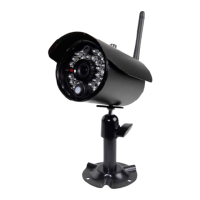
The PRO-DC5 is a realistic, non-functioning decoy camera. Its primary purpose is to deter potential intruders by giving the impression of active surveillance. It features a flashing red LED that activates in low light conditions, mimicking the operation of a real security camera.

Important Technical Specifications

  • Model: PRO-DC5
  • Type: Non-functioning decoy camera
  • Housing Material: Aluminum
  • Finish Color: Black
  • Camera Stand: 3-axis, aluminum
  • Low Light Activated: Yes. Blinking RED LED with CDS Auto switching IR control (Blinking in 2-second intervals).
  • IP Rating: IP44
  • Indoor/Outdoor Use: Both
  • Power Supply for LED: Two alkaline 1.5V AAA Batteries (not included).
  • On/Off Method: Removal/installation of batteries.
  • Dimensions: 5.64" (143.5mm) D x 2.28" (58.0mm) W x 3.22" (82mm) H

Usage Features

The decoy camera is designed for easy installation and operation.

  • Low Light Activation: The flashing red LED automatically activates in low light conditions, enhancing its realism as a surveillance device.
  • Indoor/Outdoor Use: With an IP44 rating, the camera is suitable for both indoor and outdoor environments, offering flexibility in placement.
  • Easy Installation: The manual provides a four-step installation process:
    1. Select a position and drill holes for anchors using the mounting bracket as a template. Screws and anchors are supplied.
    2. Twist the housing 20 degrees counter-clockwise to open the casing and insert two AAA batteries into the battery compartment, observing polarity markers. Caution is advised not to push hard on the glass lens to prevent dislodgement.
    3. Insert the camera body back into the housing and rotate the casing clockwise to secure it.
    4. Attach the camera to the wall or ceiling and tighten screws.

Maintenance Features

Maintenance primarily involves battery replacement.

  • Battery Replacement: The manual provides specific instructions for battery replacement:
    • Always purchase the correct size and grade of battery.
    • Replace all batteries of a set at the same time.
    • Clean battery contacts on both the batteries and the device prior to installation.
    • Ensure batteries are installed correctly with regard to polarity (+ and -).
    • Remove batteries from equipment not in use for extended periods.
    • Promptly remove used batteries.

Safety Precautions

The manual outlines several safety precautions to ensure proper handling and longevity of the device:

  • Do not drop, puncture, or disassemble the camera.
  • Do not expose the camera to extreme high temperatures.
  • Use the camera with care and avoid pressing hard on the camera body.

Warranty Information

BRK Brands, Inc., the manufacturer, provides a one-year limited warranty from the date of purchase, covering defects in material and workmanship. BRK will repair or replace defective products or components. The warranty is valid for the original retail purchaser and requires the original sales receipt and UPC code from the package for service.

Warranty Exclusions:

  • Bulbs, LEDs, and batteries are not covered.
  • Invalidated if non-BRK accessories are used or if modifications/repairs are made to the product.
  • Does not apply to defects from abnormal environmental conditions (e.g., extreme humidity) or improper installation/use.
  • Does not cover defects from negligent use, misuse, abuse, neglect, alteration, improper electrical conditions, use of non-BRK replacement parts, improper maintenance, accidents, fire, flood, or other Acts of God.
  • Does not cover the performance or functionality of any included computer software. BRK does not guarantee software will be error-free.
  • BRK reserves the right to make design changes without obligation to modify existing products.
  • Does not cover alteration or damage to other software on the user's system due to installing the provided software.
  • BRK disclaims other express or implied warranties and is not liable for special or consequential damages arising from product use or malfunction.
  • BRK makes no claims about the product's ability to prevent or minimize personal or property damage/injury.
  • BRK's responsibility is limited to repair, replacement, or refund.
  • Does not warrant software compatibility with other software unless indicated.

Obtaining Service: To obtain warranty service, do not return the product to the place of purchase. Contact the Consumer Affairs Division at 1-800-323-9005, Monday through Friday, 7:30 a.m. - 5:00 p.m. Central Standard Time. Have the model number and date of purchase available. If a return is necessary, mail the product to BRK Brands, Inc., 3901 Liberty Street Road, Aurora, IL 60504-8122.

First Alert BRK Series Specifications

General IconGeneral
BrandFirst Alert
ModelBRK Series
CategorySecurity Camera
LanguageEnglish

Related product manuals