ETHERNET
4
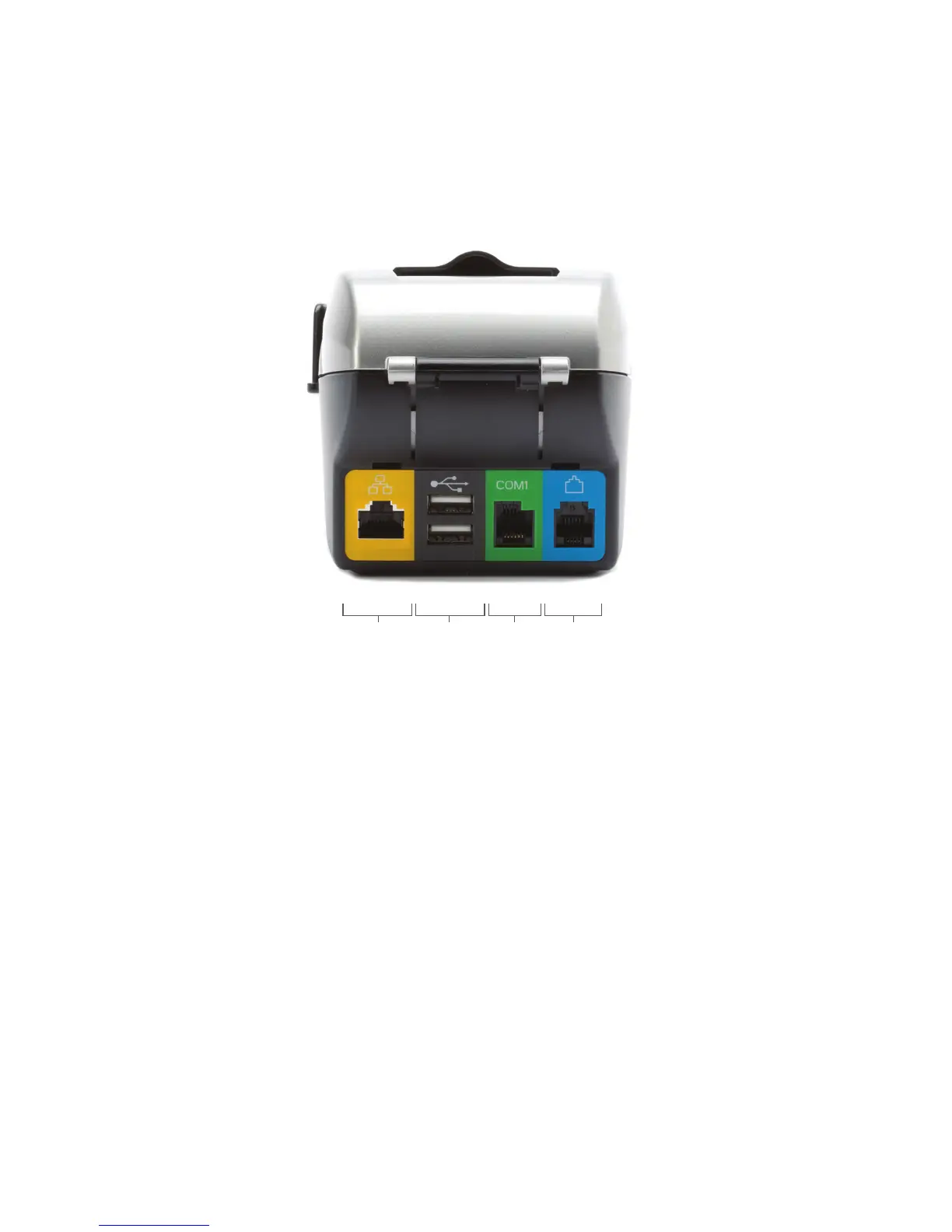
Port connections
The pictures show an FD100
Ti
terminal. The ports on the back of
the FD100
Ti
terminal enable you to add peripherals such as PIN
pads, check readers and contactless readers.
➔ Phone (blue)
For dial-up transactions using a phone line.
➔ USB (gray) and Serial (green)
You may connect additional peripherals to the USB or COM
ports, such as the FD-10 or FD-10C PIN Pads, and/or the
FD-30 PIN Pad or Vivopay
®
4500 Contactless Readers,
and/or MagTek
®
MiniMICR Check Reader.
➔ Ethernet (yellow)
For Internet transactions using Cable or DSL.
Getting to know the FD100
Ti
PHONEUSB COM1



 To Next Page