Installing The FT-EZGO
Testing The FT-EZGO
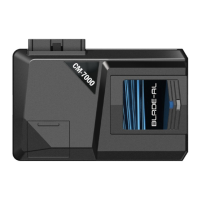
STEP 1: Flash your CM6 Series control module for FT-EZGO compatible firmware.
STEP 2: Set Option 1-14 to Setting 2, 3 or 4
STEP 3: Connect included 6 Pin to 6 Pin with Ground Wire to control module. If connecting to a 4 Pin to 4
Pin antenna, use the included 6 Pin to 4 Pin adapter.
STEP 4: Connect the ground wire from the included 6 Pin to 6 Pin cable to vehicle’s ground. Warning:
Failure to connect this wire WILL result in damage to your FT-EZGO antenna (ANT-RFID).
STEP 5: Connect your antenna to the ANT-RFID. This is the blue 6 Pin port. If you have a 4 Pin antenna
cable, use the included 4 Pin to 6 Pin adapter.
STEP 6: Find a spot to mount your ANT-RFID on the windshield. This is recommended for optimum range.
For more specific mounting location information visit us at www.firstechonline.com under the Authorized
Tech section document titled: “FT-EZGO Recommended Mounting Locations.”
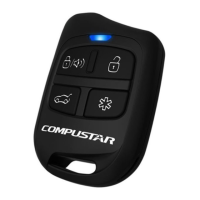
STEP 7: Program your EZ100-R and additional RF Kit remotes to the control module (Maximum 3 Remotes
including EZ100-R).
You are now ready to test your FT-EZGO system.
STEP 1: Turn the auto unlock feature by holding the button on the EZ100-R for at least 8 seconds. You will
get one parking light flash and/or siren chirp. Hold the button again for at least 8 seconds and you will get
two parking light flashes and/or chirps showing that the auto unlock feature is off.
STEP 2: Arm/Lock the vehicle and wait at least 15 seconds.
STEP 3: Walk up to the vehicle and it will automatically unlock/disarm. If you have the option set, walk
away and the vehicle will lock and arm.
The FT-EZGO from Firstech will unlock/disarm the vehicle when in range. It will also lock/arm and unlock/
disarm the vehicle when you press the button on the EZ100-R.
FT-EZGO Setup
CM6300 Install Guide
Alarm System
www.firstechonline.com | www.compustar.com
Copyright 2012 Firstech, LLC.
Page 9


 To Next Page