www.compustar.comwww.firstechllc.com
This device complies with Part 15 of the FCC rules. Operation is subject to the following conditions;
(1) This device may not cause harmful interference.
(2) This device may accept any interference received, including interference that may cause undesired operation.
CAUTION:
Changes or modifications not expressly approved by the party responsible for compliance could void
the user’s authority to operate this device.
This device complies with Part 15 of the FCC rules. Operation is subject to the following conditions;
(1) This device may not cause harmful interference.
(2) This device may accept any interference received, including interference that may cause undesired operation.
CAUTION:
Changes or modifications not expressly approved by the party responsible for compliance could void
the user’s authority to operate this device.
This device complies with Part 15 of the FCC rules. Operation is subject to the following conditions;
(1) This device may not cause harmful interference.
(2) This device may accept any interference received, including interference that may cause undesired operation.
CAUTION:
Changes or modifications not expressly approved by the party responsible for compliance could void
the user’s authority to operate this device.
This device complies with Part 15 of the FCC rules. Operation is subject to the following conditions;
(1) This device may not cause harmful interference.
(2) This device may accept any interference received, including interference that may cause undesired operation.
CAUTION:
Changes or modifications not expressly approved by the party responsible for compliance could void
the user’s authority to operate this device.
This device complies with Part 15 of the FCC rules. Operation is subject to the following conditions;
(1) This device may not cause harmful interference.
(2) This device may accept any interference received, including interference that may cause undesired operation.
CAUTION:
Changes or modifications not expressly approved by the party responsible for compliance could void
the user’s authority to operate this device.
This device complies with Part 15 of the FCC rules. Operation is subject to the following conditions;
(1) This device may not cause harmful interference.
(2) This device may accept any interference received, including interference that may cause undesired operation.
CAUTION:
Changes or modifications not expressly approved by the party responsible for compliance could void
the user’s authority to operate this device.
This device complies with Part 15 of the FCC rules. Operation is subject to the following conditions;
(1) This device may not cause harmful interference.
(2) This device may accept any interference received, including interference that may cause undesired operation.
CAUTION:
Changes or modifications not expressly approved by the party responsible for compliance could void
the user’s authority to operate this device.
This device complies with Part 15 of the FCC rules. Operation is subject to the following conditions;
(1) This device may not cause harmful interference.
(2) This device may accept any interference received, including interference that may cause undesired operation.
CAUTION:
Changes or modifications not expressly approved by the party responsible for compliance could void
the user’s authority to operate this device.
This device complies with Part 15 of the FCC rules. Operation is subject to the following conditions;
(1) This device may not cause harmful interference.
(2) This device may accept any interference received, including interference that may cause undesired operation.
CAUTION:
Changes or modifications not expressly approved by the party responsible for compliance could void
the user’s authority to operate this device.
This device complies with Part 15 of the FCC rules. Operation is subject to the following conditions;
(1) This device may not cause harmful interference.
(2) This device may accept any interference received, including interference that may cause undesired operation.
CAUTION:
Changes or modifications not expressly approved by the party responsible for compliance could void
the user’s authority to operate this device.
This device complies with Part 15 of the FCC rules. Operation is subject to the following conditions;
(1) This device may not cause harmful interference.
(2) This device may accept any interference received, including interference that may cause undesired operation.
CAUTION:
Changes or modifications not expressly approved by the party responsible for compliance could void
the user’s authority to operate this device.
This device complies with Part 15 of the FCC rules. Operation is subject to the following conditions;
(1) This device may not cause harmful interference.
(2) This device may accept any interference received, including interference that may cause undesired operation.
CAUTION:
Changes or modifications not expressly approved by the party responsible for compliance could void
the user’s authority to operate this device.
This device complies with Part 15 of the FCC rules. Operation is subject to the following conditions;
(1) This device may not cause harmful interference.
(2) This device may accept any interference received, including interference that may cause undesired operation.
CAUTION:
Changes or modifications not expressly approved by the party responsible for compliance could void
the user’s authority to operate this device.
This device complies with Part 15 of the FCC rules. Operation is subject to the following conditions;
(1) This device may not cause harmful interference.
(2) This device may accept any interference received, including interference that may cause undesired operation.
CAUTION:
Changes or modifications not expressly approved by the party responsible for compliance could void
the user’s authority to operate this device.
This device complies with Part 15 of the FCC rules. Operation is subject to the following conditions;
(1) This device may not cause harmful interference.
(2) This device may accept any interference received, including interference that may cause undesired operation.
CAUTION:
Changes or modifications not expressly approved by the party responsible for compliance could void
the user’s authority to operate this device.
This device complies with Part 15 of the FCC rules. Operation is subject to the following conditions;
(1) This device may not cause harmful interference.
(2) This device may accept any interference received, including interference that may cause undesired operation.
CAUTION:
Changes or modifications not expressly approved by the party responsible for compliance could void
the user’s authority to operate this device.
This device complies with Part 15 of the FCC rules. Operation is subject to the following conditions;
(1) This device may not cause harmful interference.
(2) This device may accept any interference received, including interference that may cause undesired operation.
CAUTION:
Changes or modifications not expressly approved by the party responsible for compliance could void
the user’s authority to operate this device.
This device complies with Part 15 of the FCC rules. Operation is subject to the following conditions;
(1) This device may not cause harmful interference.
(2) This device may accept any interference received, including interference that may cause undesired operation.
CAUTION:
Changes or modifications not expressly approved by the party responsible for compliance could void
the user’s authority to operate this device.
Applicable to the following remote(s)
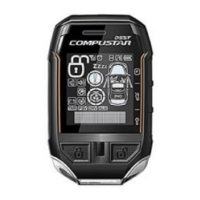
2W901R-SS 2 Way 5 Button LCD Remote
FCC ID : VA5JR901-2WSS
IC : 7087A-R901WSS
www.compustar.comwww.firstechllc.com
Este dispositivo cumple con los requisitos de la sección 15 de los reglamentos de la FCC.
Su utilización está sujeta a las siguientes condiciones:
(1)Este dispositivo no debería causar interferencias perjudiciales.
(2)Este dispositivo debería aceptar las interferencias recibidas, incluyendo aquellas
que puedan provocarun funcionamiento indeseable.
Advertencia: Los cambios o modificaciones que no sean expresamente aprobados por las partes
responsables de esta conformidad pueden anular la autorización para utilizar este dispositivo.
Aplicable a los controles remotos siguientes:
Control remoto bidireccional de LCD de 5 botones 2W901R-SS
FCC ID : VA5JR901-2WSS
IC : 7087A-R901WSS
GUÍA DEL USUARIO

 Need help?
 General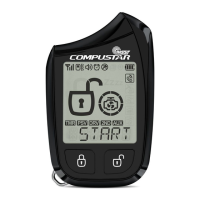

 To Next Page