TRINITY EASY SETUP GUIDE
11
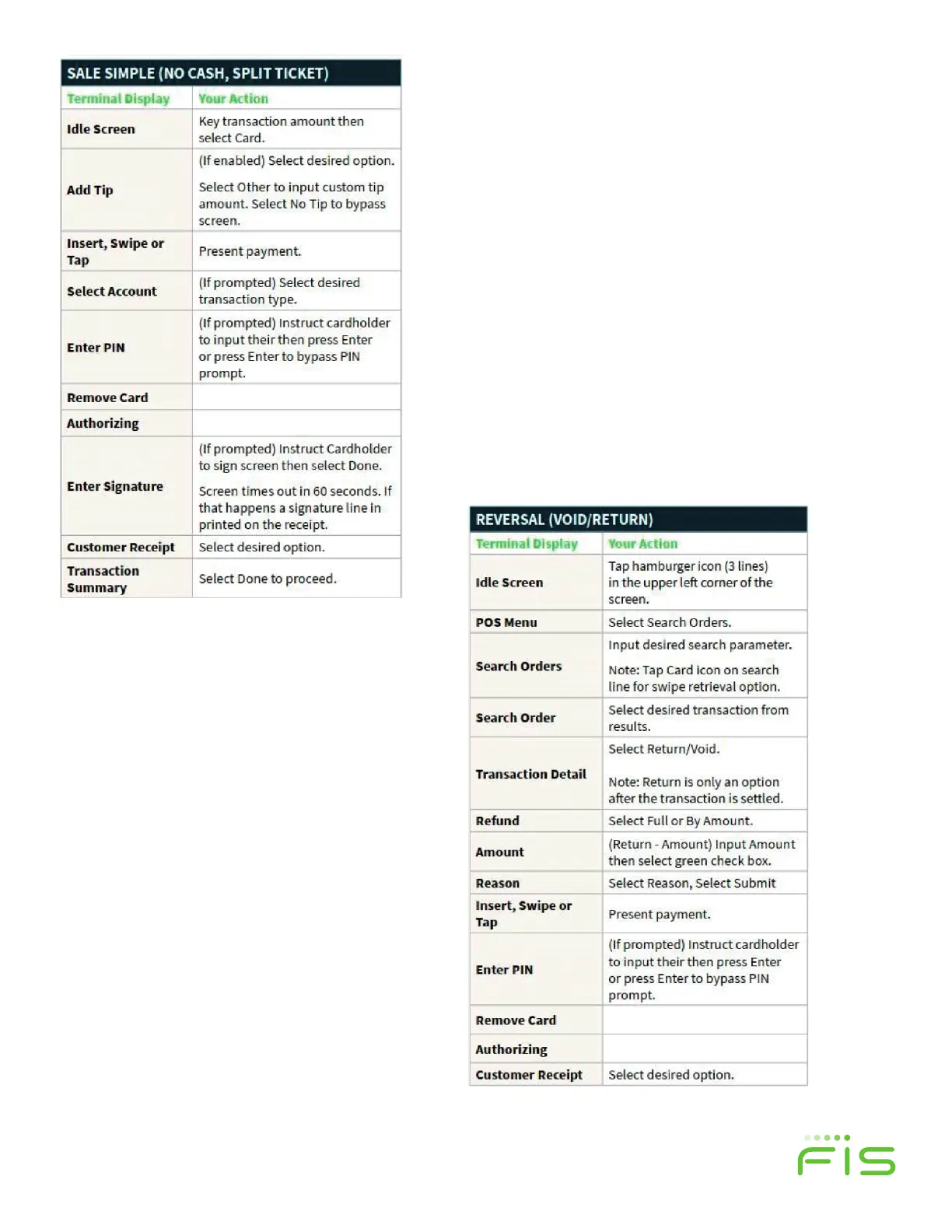
Table 1
Table 2
STEP 7:
Start Processing with
Worldpay from FIS
You’re all set to start processing with your new
Verifone Trinity T650c.
STEP 6:
Voiding your Test Transaction
Perform the following steps to void your test
transaction. Use the “Reversal” instructions (below)
in the right-hand column (Table 2) to void the test
transaction.
You can also review the Quick Reference Guide that also
comes with your T650c which shows how to reverse/
void a transaction.
When completed, you return to a Summary screen.
Press the Back Arrow in top le of the screen to return
to Order History screen. Select the Menu icon (3
horizontal bars) and then Point of Sale to get back to
the Sale screen.


 To Next Page