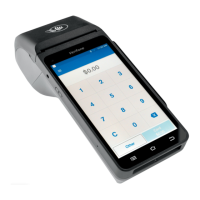
TRINITY EASY SETUP GUIDE
2
Do This First!
Important: The Verifone Trinity T650c installation setup can take
up to an hour. Please allow ample time to complete before you need
to begin processing.
Important: Before installing your new Verifone Trinity T650c
terminal, please settle (“batch out”) your existing terminal.
Deactivating your old terminal
• Make sure you have settled your old terminal first to ensure you
receive funds for any transactions still in the device
• Disconnect plug from the power outlet
• Disconnect the telephone line or Ethernet cable
• Disconnect PIN pad (if you have one)
• Dispose of your existing terminal and/or PIN pad according to
your company’s secure disposal policy for electronic devices
TRINITY OUT-OF-BOX EASY SETUP GUIDE
(Section 1)
Welcome!
Trinity T650c Easy Setup Guide
Important: Please review the entire guide before you begin.
(Section 2)
Do This First!
Important: The Verifone Trinity T650c installation setup can take up to an
hour. Please allow ample time to complete before you can process transactions.
Important: Before installing your new Verifone Trinity T650c terminal, please
settle (“batch out”) your existing terminal.
Deactivating your old terminal
o
Make sure you have settled your old terminal first to insure you receive funds for any
transactions still in the device
o
Disconnect power plug from the power outlet
o
Disconnect the telephone line or internet cable
o Disconnect PIN pad (if you have one)
o Dispose of your existing terminal and/or pin pad according to your company's secure
disposal policy for electronic devices


 To Next Page
 Loading...