TRINITY EASY SETUP GUIDE
3
Now Let’s Get Started!
STEP 1:
Unbox and Connect Your New
Trinity T650c Terminal
First, unpack your new Trinity T650c terminal.
A full packing list can be found in the Quick Start Guide.
Next, load paper into the Trinity T650c terminal.
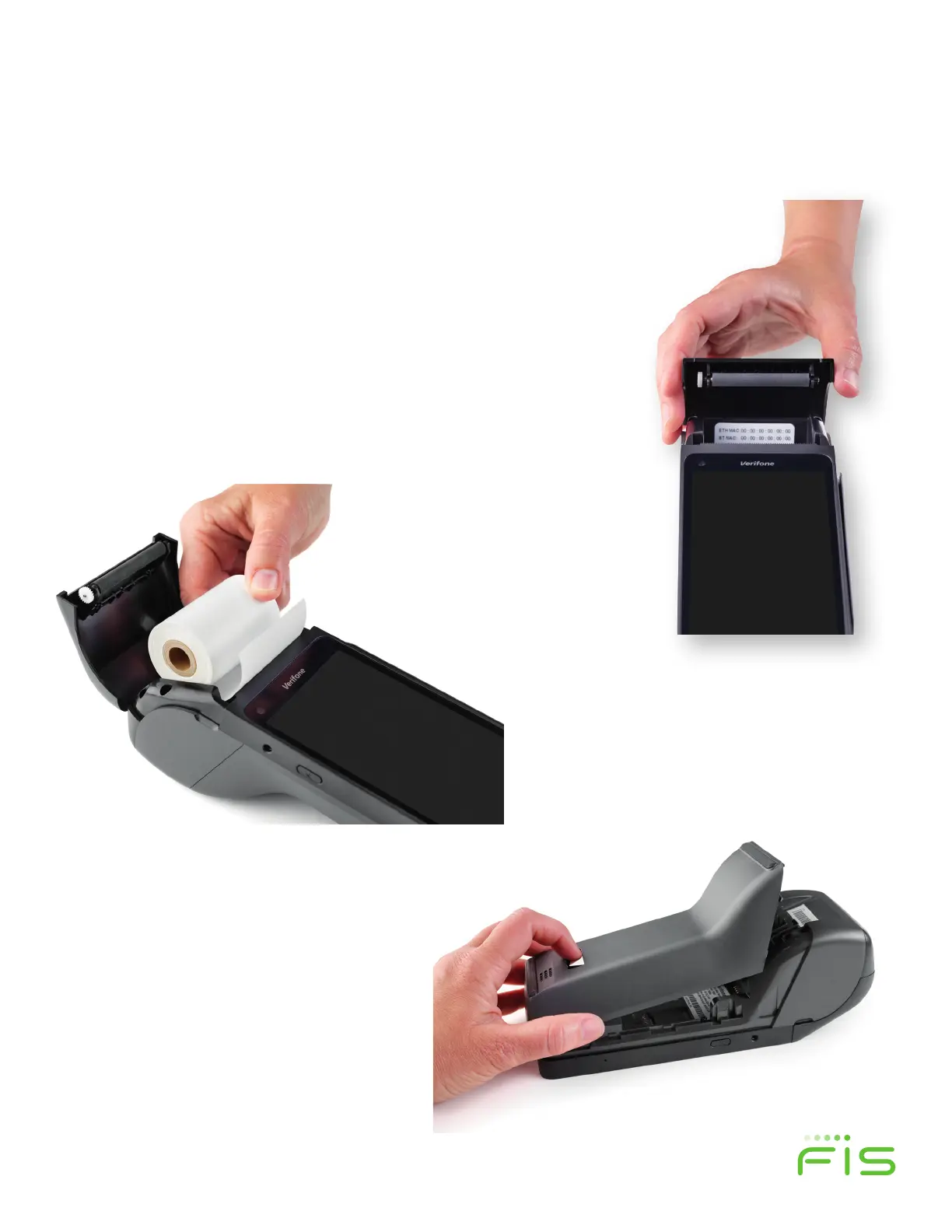
• Place the roll into the tray, as shown in figure
2 and close the cover. Make sure the paper
comes o the spool towards the bottom on
the T650c.
• Locate the indentations on each side of the
printer paper cover as shown in figure 1.
Place your finger in each slot and pull up to
access the paper roll tray.
• Next, remove the back cover to expose
the USB and Ethernet ports by pressing
the button and sliding down and then
liing o the cover as shown in figure 3.
Figure 3
Figure 2
Figure 1


 To Next Page