TRINITY EASY SETUP GUIDE
4
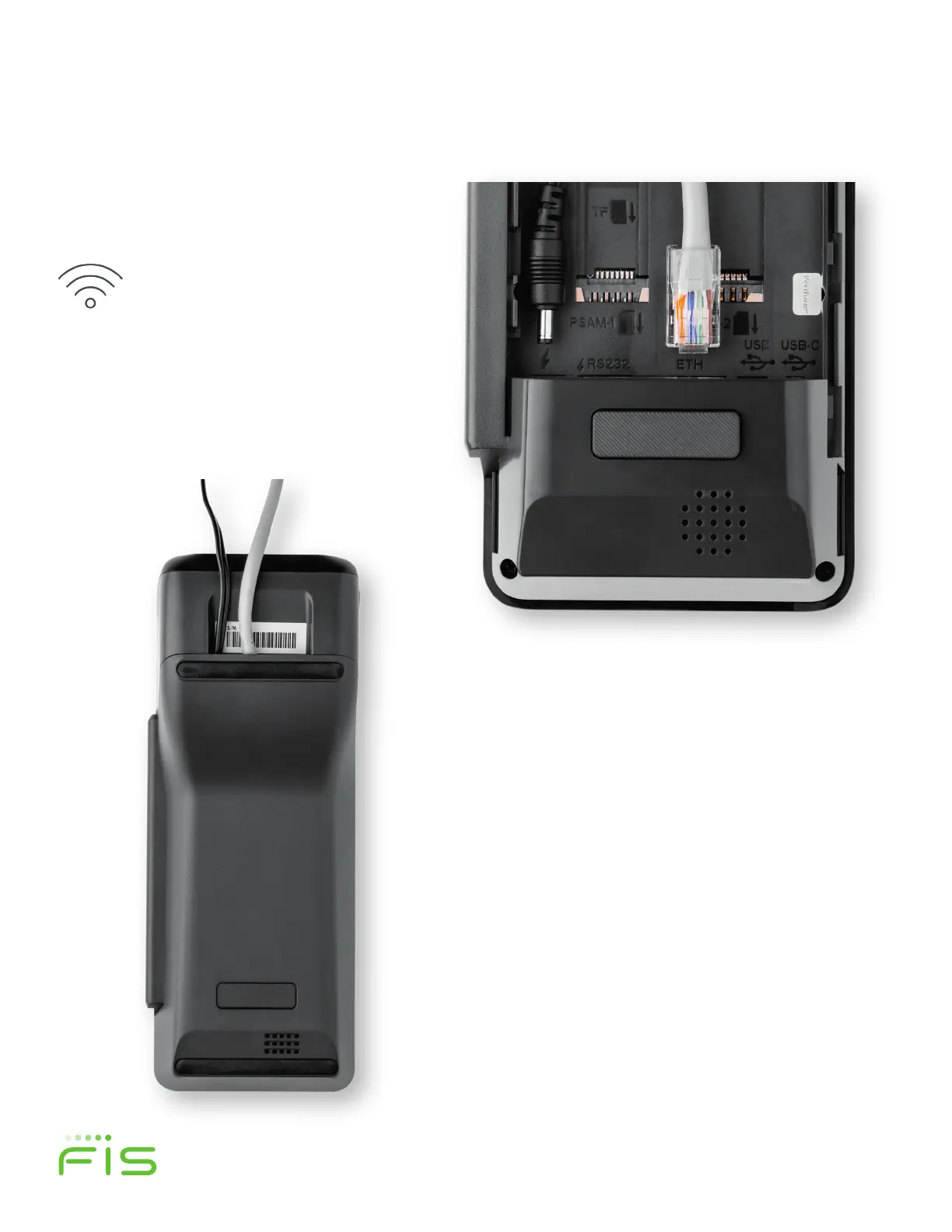
If you use an Ethernet connection,
plug the cord into the port labeled
“ETH” as shown in figure 4.
NOTE: If you plan to connect via
Wi-Fi, see Step 3 for additional
instructions.
If you plan to use a PIN pad, plug
the provided PIN pad cable into
the port labeled “USB”.
STEP 1 (continued)
Figure 4
Figure 5
Lay all cords flat and feed into the
channel guides provided as shown
in figure 4 and reattach the back
cover as shown in figure 5.
Next, insert the power cord into the round
port near the lightning bolt symbol as shown
in Figure 4.


 To Next Page