• Watch the Transducer installation video found on the Fish Hawk Website.
• We install marine grade plastic transducer mounting boards on the back of
our boats because they allow us to change the position of transducers without
drilling new holes in the transom.
Sonar Interference
Sonar interference is caused when similar sonar frequencies are used in close
proximity to one another. The Fish Hawk uses a 70 kHz frequency while most sh
nders operate around 200 KHz, meaning the Fish Hawk will not interfere with
most sh nders. Some dual frequency nders use a 50 or 83 kHz frequency that can
interfere with the Fish Hawk at high gain settings if the transducers are mounted too
close together on the transom. You can opt not to use the 50 or 83 kHz frequency in
your sh nder’s settings if it causes a problem, or relocate the Transducer on the
transom. Lowering the gain will help the Fish Hawk minimize interference but may
reduce the usable depth range.
THE FISH HAWK LCD DISPLAY
Installing the Display
Place the display in a visible location on the helm. An optional foul weather
cover is available for purchase on-line if you plan on leaving the
display in an exposed location.
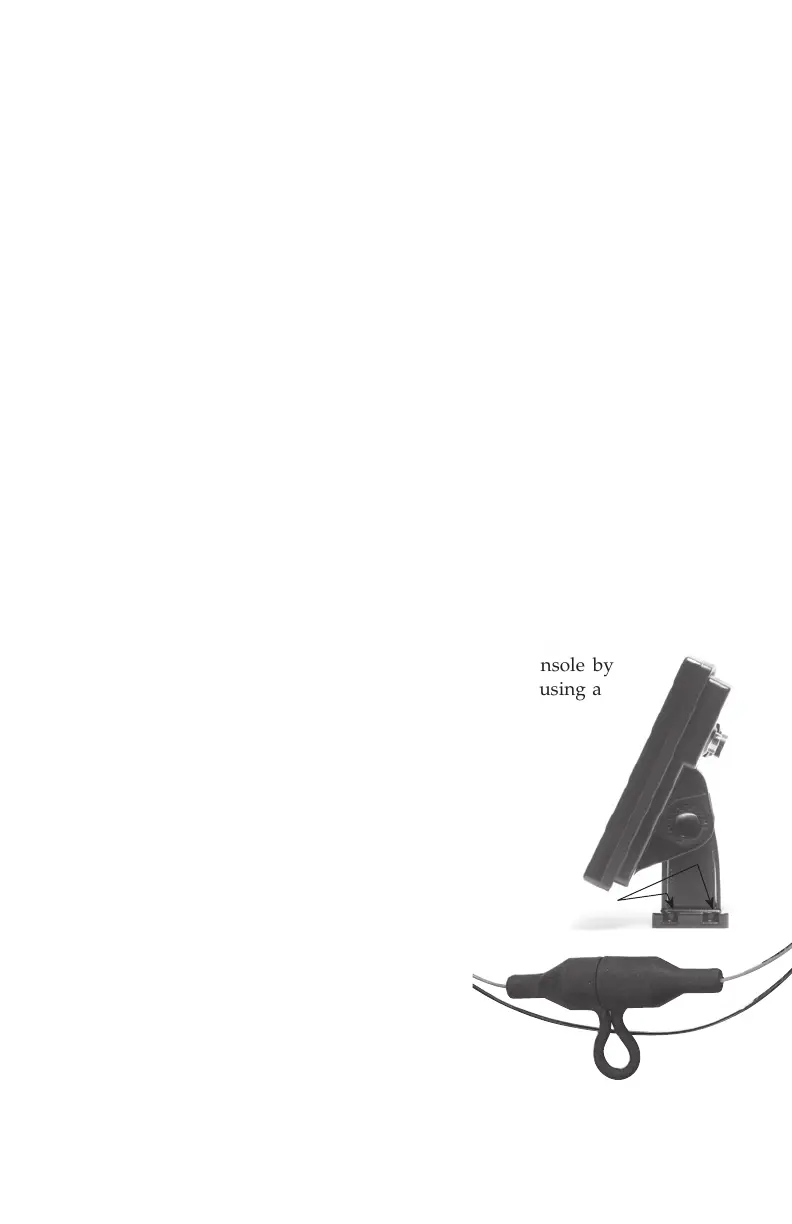
You can ush mount the display into your boat’s console by
cutting a 3 1 ⁄2” wide x 6 1 ⁄8” tall hole in the dash and using a
silicone sealant to secure the display in place.
The display requires that two connections be made;
the power cord and the Transducer. Additional
wire can added to the power cable if you follow
the proper polarity (+/-.) The display is protected
by an in-line 1 amp fuse. As with most radio
or sonar devices, we recommend wiring the
display directly to a 12-volt battery. Connecting
to a fuse block can result in unwanted electrical
noise that can interfere with the Fish Hawk.
Pull rubber fuse
housing apart to access fuse.
Use the four
holes at the
bottom of
the base to
secure it in
place. There
are two holes on
each side of base.


 To Next Page