EasyManua.ls Logo

Fish Hawk X4D - User Manual

Fish Hawk X4D
16 pages
Print Icon
To Next Page IconTo Next Page
Loading...
USER GUIDE

Other manuals for Fish Hawk X4D

Questions and Answers

  • P
    Patricia StewartJul 27, 2025
    What to do if probe numbers on the Fish Hawk X4D Fishing Equipment display are erratic?
    • R
      Robert CarpenterJul 27, 2025
      To address sonar interference, turn off the 50 KHz or 83 KHz beam on your fish finder. Reducing the Gain setting on the Fish Hawk display or separating transducer cables may also help. For a permanent solution, relocate the transducer away from other 50 or 83 KHz transducers on the transom. The interference is caused by a 50 or 83 KHz transducer located next to the Fish Hawk transducer (70 KHz).
  • T
    Todd LongAug 1, 2025
    Why are surface and probe numbers on the Fish Hawk X4D Fishing Equipment display erratic?
    • T
      Thomas NortonAug 1, 2025
      If the surface and probe numbers on the Fish Hawk display are erratic, it could be due to electrical interference from the boat. To resolve this, run the Fish Hawk display power cord directly to the boat battery, bypassing the fuse panel.
  • P
    Phillip DiazAug 6, 2025
    What to do if Fish Hawk Fishing Equipment display turns on or off when starting the engine?
    • B
      Brian HardinAug 6, 2025
      If the Fish Hawk display turns on or off when you start the engine, it indicates an open ground in the power system. Solve this by replacing the standard spark plugs with resistor value spark plugs.
  • J
    Jamie WattsAug 11, 2025
    Why does no probe data appear on the Fish Hawk X4D Fishing Equipment display?
    • A
      Adrienne MyersAug 11, 2025
      Several factors can cause no probe data to appear on the Fish Hawk display: * The probe might be out of the water (it only works when submerged). * The probe batteries might be dead (replace with fresh alkaline AA batteries). * The transducer might not be correctly placed (locate it where bubbles are minimized, away from the kicker motor). * The Gain adjustment might be too low (increase it via the SET button). * The probe might be too close to the boat (it needs to be at least 5 feet under the transducer).
  • S
    Steven RomeroAug 16, 2025
    What to do if the probe temperature on the Fish Hawk X4D Fishing Equipment display reads 3.8 - 4.0?
    • T
      travis05Aug 16, 2025
      If the probe temperature on the Fish Hawk display reads 3.8 - 4.0, the thermistor tubes on the probe have been damaged. To prevent this, remove the probe from the downrigger cable when not in use, or secure it tightly with a bungee. Unfortunately, the probe must be replaced as there is no repair.
  • D
    davidjohnsonAug 21, 2025
    How to fix a Fish Hawk Fishing Equipment display that won’t turn on?
    • J
      Jeffrey HansonAug 21, 2025
      If the Fish Hawk Fishing Equipment display won’t turn on, it’s likely that the 1-amp in-line fuse is broken. Replace the 1-amp fuse located near the end of the power cord.

Summary

Fish Identification by Water Temperature

Preferred Water Temperature Ranges

Chart showing preferred water temperature ranges for popular freshwater game and baitfish species in Fahrenheit.

Fish Hawk System Components and Operation

Fish Hawk System Components

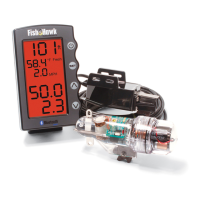
Lists the components included in the Fish Hawk system, such as the transducer, display, and probe.

How the Fish Hawk Operates

Explains the operational principles of the Fish Hawk probe and transducer sending data to the LCD display.

Fish Hawk Probe Installation and Use

Installing the Fish Hawk Probe Batteries

Detailed steps for correctly inserting and securing AA alkaline batteries in the Fish Hawk probe.

Probe On;Off and Battery Warning

Describes the auto on/off switch and the low battery warning indicator on the Fish Hawk probe.

Attaching the Fish Hawk Probe Assembly

Connecting Probe to Downrigger Cable

Instructions for terminating the downrigger cable and attaching the probe using a high-quality snap.

Attaching Downrigger Ball and Probe Bumper

Details on attaching the downrigger ball and the function of the protective rubber probe bumper.

Selecting Downrigger Ball Weight

Guidance on choosing the correct downrigger ball weight to minimize drag and line sway.

Transducer Installation Guide

Selecting the Transducer Location

Guidance on properly installing the transducer on the boat's transom for optimal performance.

Recommended Transducer Locations

Visual examples and advice for mounting the Fish Hawk transducer relative to other boat equipment.

Fish Hawk LCD Display Installation

Installing the LCD Display Unit

Instructions for mounting the Fish Hawk LCD display, including flush mounting and power connections.

Managing Sonar Interference

Explanation of sonar interference and how to mitigate it with other fish finder frequencies.

Using the Fish Hawk Display

Display Layout and Controls

Overview of the Fish Hawk display sections, buttons, and basic functions like backlight adjustment.

Setting the Gain (Sensitivity)

Adjusts the probe's sensitivity for optimal signal reception, with a range from 0 to 25.

Setting Temperature Units

Selects the display unit for temperature, choosing between Fahrenheit (°F) and Celsius (°C).

Setting Speed Units

Configures the unit of measure for speed, allowing selection of MPH, KNOTS, or KPH.

Calibrating Sensors

Allows fine-tuning of sensor readings, specifically temperature and speed, for accuracy.

Fish Hawk Mobile App (X4 D Only)

Mobile App Features and Usage

Details the Fish Hawk mobile app's Bluetooth connectivity, auxiliary display, and Catch Log features.

Routine Maintenance Schedule

Troubleshooting Common Issues

Service and Warranty Information

Product Warranty Policy

Covers the one-year standard warranty for Fish Hawk products against defects in parts or workmanship.

Out-of-Warranty Service and Charges

Information on out-of-warranty repair fees, flat rate replacement charges, and return shipping.

Service Advice and Notes

Fish Hawk X4D Specifications

General IconGeneral
Display TypeLCD
Waterproof RatingIPX7
Temperature SensorYes
Speed SensorYes
TypeFish finder
Transducer Frequency200 kHz
Mounting OptionsTransom mount