16
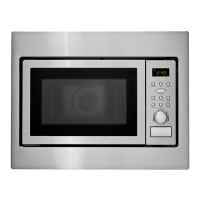
CONTROL PANEL
1 DISPLAY - Displays time of day, time or power level being used, cooking mode and
instructions.
2 FROZEN ENTREE - Press this pad to cook Frozen Entree.
3 POTATO - Press this pad to cook Potato. The microwave oven sensor will automatically
adjust the cooking time to the type and amount of food.
4 REHEAT - Press this pad to reheat food. The microwave oven sensor will automatically
adjust the cooking time to the type and amount of food.
5 FROZEN VEGETABLES - Press this pad to cook Frozen vegetables. The microwave oven
sensor will automatically adjust the cooking time to the type and amount of food.
6 POPCORN - Press this pad to cook prepackaged microwave popcorn weight 3.5/3.0/1.75
ounces (100/85/50 g).
7 BEVERAGE - Press this pad to reheat a beverage.
8 MELT/SOFTEN - Press this pad to melt or soften butter, chocolate, ice cream and cheese.
9 CLOCK - Press this pad to enter time of day.
Also press and hold this pad for 3 seconds to set power save mode. For detailed
information on this feature, see Functions section, page 30.
10 TURNTABLE On-Off - Press this pad to turn turntable on or off.
11 TIME COOK - Press this pad to set the microwave cooking time.
Power Level 10 (High) is automatic but lower heat levels may be programmed.
12 KEEP WARM - Press this pad and safely keep food warm for up to 30 minutes.
13 DEFROST - Press this pad to set defrosting time or defrosting weight.
14 POWER LEVEL - Press this pad if you want to change from automatic Power Level 10
(High) for cooking.
15 NUMBER PADS - Press these pads to enter cooking time, defrosting time or weight, time
of day, power level.
16 EXPRESS COOK - Press these pads to set 1-6 minutes preset cooking time at 100%
power level.
17 +30 SEC - Press this pad for 30 seconds instant “ON” cooking time or to add 30
seconds of cooking time as the timer is counting down.
18 KITCHEN TIMER - Press this pad to use as a minute timer, delay cooking, hold setting
after cooking.
Also press and hold this pad for 3 seconds to set sound on/off. For detailed information
on this feature, see Functions section, page 30.
19 STOP/CLEAR - When pressed once, it pauses the oven operation. When pressed twice,
it resets the oven and erases all settings (except time of day).
Also press and hold this pad for 3 seconds to set child safety lock function. For detailed
information on this feature, see Functions section, page 31.
20 START - After all selections are made, press this pad to start the oven or timer.
21 LIGHT - Press this pad to turn on or off the cooktop light.
22 VENT FAN - Press this pad to turn the fan on turbo, high, low or off.
23 FILTER RESET - Press and hold this pad for 3 seconds to reset time after replacing the
filter. Charcoal filters must be replaced every 6 months.



 To Next Page
 Loading...