EasyManua.ls Logo

Fisher Scientific 11-690-637D - User Manual

Fisher Scientific 11-690-637D
34 pages
Print Icon
To Next Page IconTo Next Page
Loading...
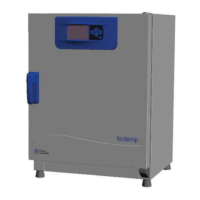
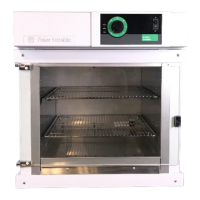
Standard Incubators
600 Series
Operation Manual and Parts List
LT2068X1 Rev. 2 (7006841)
© 2010 Fisher Scientific Inc.
All rights reserved
Printed in U.S.A.
Isotemp

Other manuals for Fisher Scientific 11-690-637D

Questions and Answers

  • M
    Michele MoralesAug 9, 2025
    What to do if my Fisher Scientific Laboratory Equipment shows 'EEE' on the display?
    • D
      david97Aug 9, 2025
      If the alarm LED is also lit, allow the incubator to cool to the set point. If the alarm LED is not on, check the thermocouple connections at the rear of the temperature controller. If the thermocouple is OK, replace the control.
  • J
    Jennifer MackAug 15, 2025
    How to fix a Fisher Scientific Laboratory Equipment that is not heating?
    • L
      Lauren NicholsAug 15, 2025
      First, ensure the set temperature is not less than the actual temperature. If not, replace the control thermocouple. Also, tighten connections at the terminal strip and/or heater. Check the heater resistance against the schematic and replace if necessary. Finally, replace the controller.
  • V
    Vincent SandersAug 20, 2025
    What to do if my Fisher Scientific Laboratory Equipment incubator temperature is erratically high?
    • E
      Eric CrossAug 20, 2025
      If the incubator temperature is erratically high, the control thermocouple or the control board may be defective and require replacement.
  • J
    Jennifer WallaceAug 27, 2025
    Why is the alarm LED on and the control higher than the set temperature on my Fisher Scientific Laboratory Equipment?
    • C
      Christina PhillipsAug 27, 2025
      This can happen if the set temperature has been changed to a value less than the actual temperature minus the alarm limit. Wait for the actual temperature to cool to the set temperature, specifically to set plus 3°, and the LED should go out and the EEE alarm display will return to normal operation. If this doesn't work, the controller or solid state relay/safety relay may be defective and require replacement.
  • I
    iharrisonSep 2, 2025
    How to troubleshoot a Fisher Scientific Laboratory Equipment with no power?
    • J
      jonesstephanieSep 3, 2025
      First, ensure the unit is plugged in and turned on. If it is, replace the circuit breaker if it's defective, or replace any loose wires.

Summary

Safety Information

Incubator Specifications

Installation and Setup

Control System and Interface

Keypad Operation and Functions

Describes the four-key keypad and its functions for setting temperature, calibration, and menu navigation.

Operating the Incubator

Setting the Incubator Temperature

Step-by-step guide on how to set the desired temperature using the controller keypad.

Operational Safety Precautions

Lists essential safety measures to follow during incubator operation, including environmental and personal safety.

Adjusting Display Offsets (Calibration)

Details the procedure for adjusting display offsets to calibrate temperature readings for specific zones.

Understanding Alarm Limits

Explains the deviation alarm system, how it triggers, and its behavior based on set temperature.

Service and Maintenance

Troubleshooting Common Issues

Power and Temperature Control Problems

Addresses issues like no power, erratic high temperatures, and failure to heat, providing probable causes and actions.

Display Errors and Calibration Troubleshooting

Resolves issues related to the 'EEE' display error and discrepancies with independent thermometers.

Alarm and Setpoint Deviation Issues

Covers scenarios where the alarm LED is on with control higher than setpoint, detailing causes and corrective steps.

Replacement Parts List

Fisher Scientific 11-690-637D Specifications

General IconGeneral
BrandFisher Scientific
Model11-690-637D
CategoryAccessories
LanguageEnglish

Related product manuals