EasyManua.ls Logo

Fiskars 1054791 - User Manual

Fiskars 1054791
60 pages
Print Icon
To Next Page IconTo Next Page
Loading...
Timer manual

Questions and Answers

  • P
    Pamela WilliamsJul 29, 2025
    What to do if Fiskars Timer does not water at the desired time?
    • A
      andersonscottJul 29, 2025
      If your Fiskars Timer isn't watering at the time you expect, please check the following: 1. Ensure the dial is set to 'Run'. 2. Make sure the faucet is turned on. 3. Verify the clock is set to the correct time, paying attention to AM and PM. 4. Check the battery level, as low batteries can cause issues. 5. If using a dual timer, confirm the desired outlet (left or right) is properly programmed. 6. Ensure rain delay is not activated. 7. Confirm the start time is set to the desired time, including AM and PM.
  • J
    Jaime IngramAug 6, 2025
    What to do if Fiskars 1054791 water won’t turn off?
    • M
      mperezAug 6, 2025
      If the water won't turn off with your Fiskars Timer, check these things: 1. Make sure the watering duration is set to the desired time. 2. Check if the Manual mode is on. 3. Confirm that the timer has power or batteries included.
  • S
    Sabrina PaceAug 18, 2025
    How to fix no display on Fiskars 1054791?
    • D
      David CruzAug 18, 2025
      If there is no display on your Fiskars Timer, check the following: 1. Ensure the batteries are installed properly. 2. Verify the batteries are not very low.

Summary

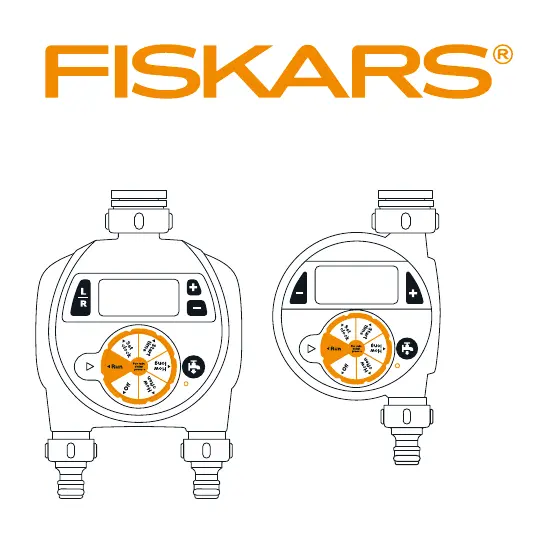
Single Outlet Timer Components

Easy Swivel Coupling

A component for easy connection to water sources.

LCD Display

The screen for viewing timer information and settings.

Dial Position Indicator

Marks on the dial showing current selection.

Manual Watering Button

Button for initiating watering manually.

Battery Tray

Compartment for housing the timer's batteries.

Control Dial

The main dial for selecting timer functions.

Minus Button

Button used for decreasing values or settings.

Plus Button

Button used for increasing values or settings.

Reset Button

Button to reset the timer to factory settings.

Inlet Connection

The port for connecting the timer to a tap.

Outlet Connection

The port for connecting a hose to the timer.

Dual Outlet Timer Components

Easy Swivel Coupling

A component for easy connection to water sources.

LCD Display

The screen for viewing timer information and settings.

Dial Position Indicator

Marks on the dial showing current selection.

Manual Watering Button

Button for initiating watering manually.

Battery Tray

Compartment for housing the timer's batteries.

Control Dial

The main dial for selecting timer functions.

L;R Button

Button to select between left and right outlets.

+;- Buttons

Buttons for adjusting settings and time.

Reset Button

Button to reset the timer to factory settings.

Inlet Connection

The port for connecting the timer to a tap.

Outlet Connections

Ports for connecting hoses to the timer.

Timer Setup and Operation

Installing the Batteries

Guide to inserting AA batteries for timer power.

Programming the Timer

Steps for setting clock, start time, duration, and frequency.

Advanced Timer Functions and Troubleshooting

Manual Watering and Reset

Using manual watering, Off mode, and resetting the timer.

Final Installation and Warranty

Connecting the timer and warranty information.

Troubleshooting Common Issues

Solutions for no display, watering failures, and water not turning off.

Fiskars 1054791 Specifications

General IconGeneral
BrandFiskars
Model1054791
CategoryTimer
LanguageEnglish

Related product manuals