EasyManua.ls Logo

Fiskars 1054792 - User Manual

Fiskars 1054792
60 pages
Print Icon
To Next Page IconTo Next Page
Loading...
Timer manual

Questions and Answers

Summary

Single Outlet Timer Overview

Single Outlet Timer Components

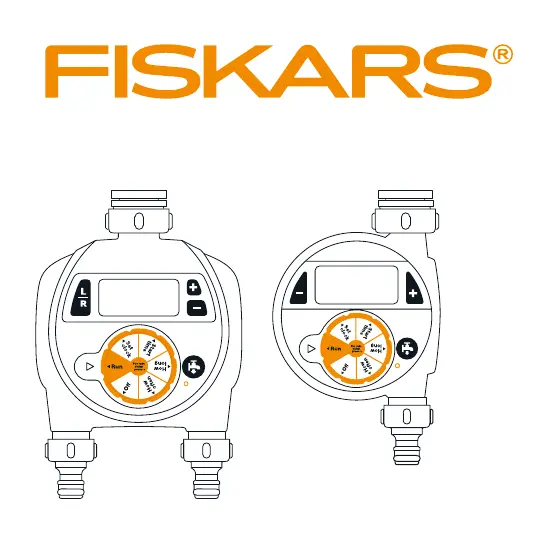
Identifies all parts of the single outlet timer, including coupling, display, dial, buttons, and connectors.

Dual Outlet Timer Overview

Dual Outlet Timer Components

Identifies all parts of the dual outlet timer, including coupling, display, dial, buttons, and connectors.

Timer Parts and Setup

Timer Components Identification

Details the various parts of the timer, such as the LCD display, dial, buttons, and connectors, for user reference.

Installing the Batteries

Provides step-by-step instructions for correctly installing the AA batteries into the timer.

Timer Operation and Programming

Programming Timer Settings

Guides users on setting the clock, start time, watering duration, and frequency for automated watering.

Manual Watering and Timer Control

Explains how to perform manual watering, turn the timer off, and reset its settings to factory defaults.

Installation and Troubleshooting

Covers attaching the timer to a faucet, common problems like no display or watering issues, and warranty information.

Fiskars 1054792 Specifications

General IconGeneral
Timer modesAutomatic watering
Control typeButtons, Rotary
Display typeLCD
Product typeDigital watering timer
Product colorBlack
Built-in displayYes
Number of outlets2
Quantity per pack1 pc(s)
Detachable displayNo
Maximum watering time360 min
Minimum watering time1 min
Connecting thread supported1/2, 1, 3/4 \
Battery typeAA
Battery technologyAlkaline
Weight and Dimensions IconWeight and Dimensions
Depth65 mm
Width138 mm
Height215 mm
Weight580 g

Related product manuals