25Page
The provided CD disc contains the following software:
• When the song is nished, click the ( ) on the screen. Then press the “STOP” button on
the Cassette Tape Deck.
• You have a music download on your computer now. But the music needs to be converted to
WAV, Ogg, or MP3 formats before exporting.
• You may play back the song through your computer.
• Simply click the (
) to play.
NOTE: You may visit the Audacity website at http://audacity.source forge.net. For more detailed
information and operation, etc.
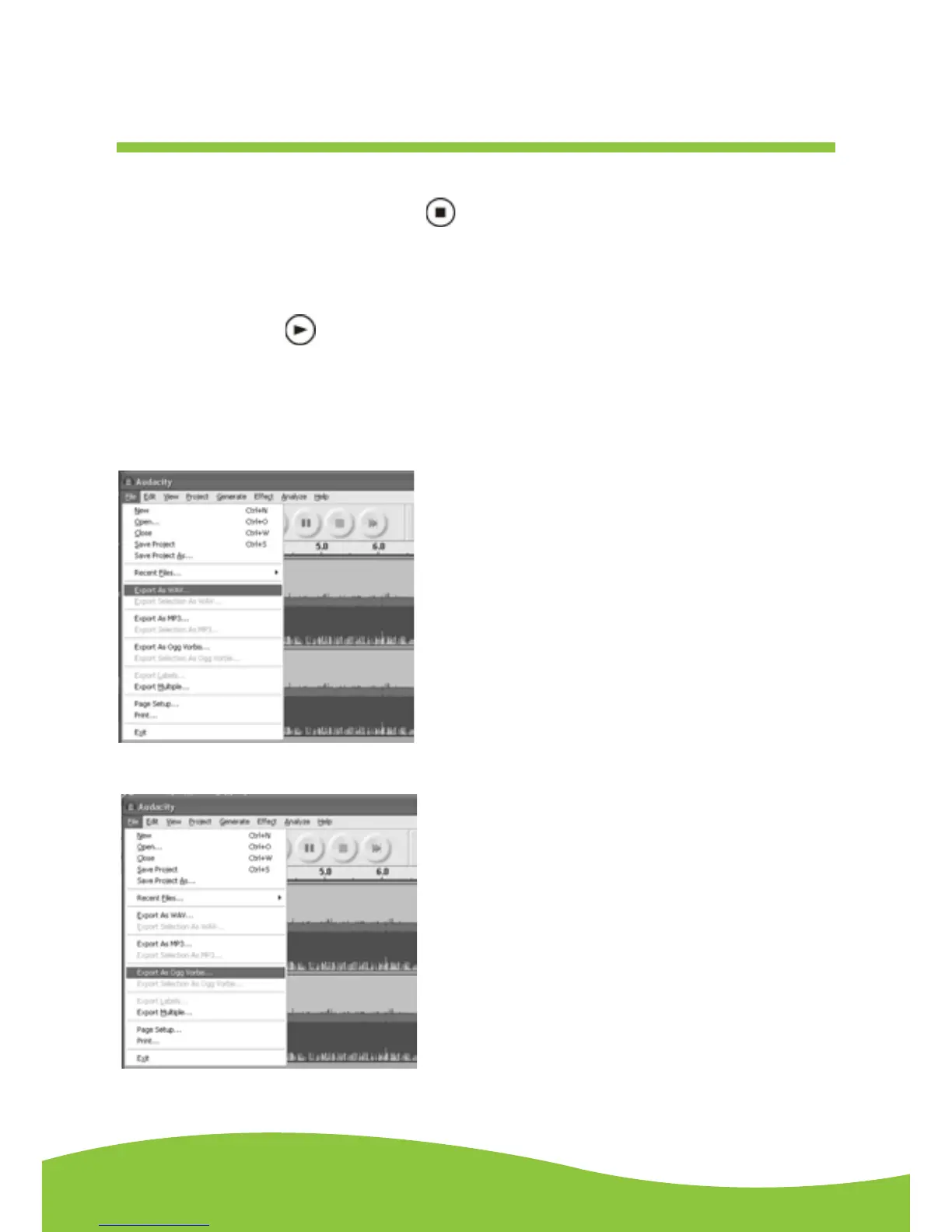
1. Click the file tab on the audacity interface. Select “Export as WAV” or “Export as Ogg”.
Export As WAV
Export As Ogg
Follow the same steps as above for “Export As MP3”.
Export and save for WAV, OGG or MP3 formats (after
recording is complete)


 To Next Page