Home
FitTrack
Scales
Dara
Page 11 (How to Share Your Reports)
FitTrack Dara - How to Share Your Reports
39 pages
Manual
Save Page as PDF
To Next Page
To Next Page
To Previous Page
To Previous Page
Loading...
How to Share Y
our Reports
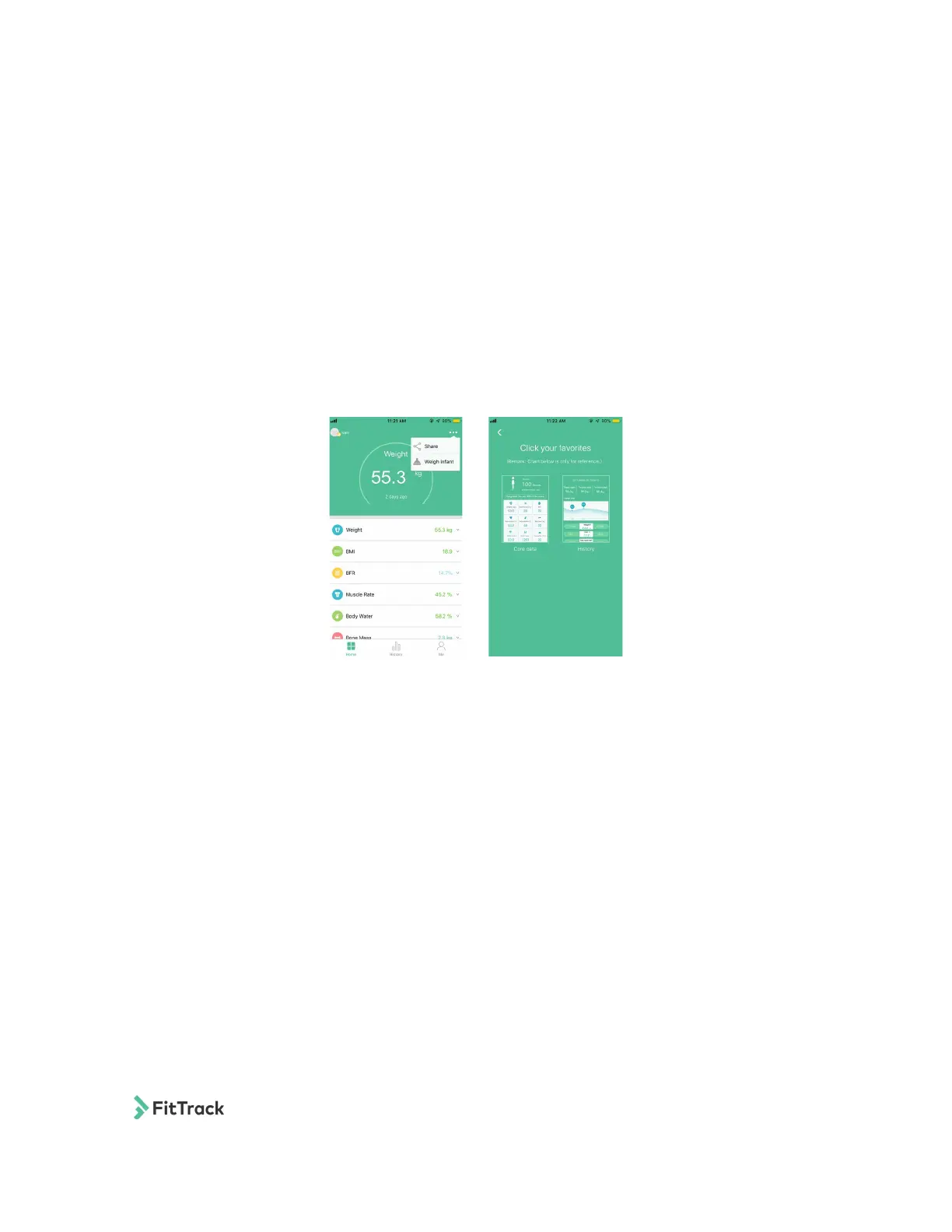
You can share your reports on social media!
Step 1: Tap the icon in the top right corner.
Step 2: Tap the share icon.
Step 3: Choose a chart.
Step 4: Choose where you want to share.
FitTrack Dara User Manual
9
10
12
Table of Contents
Main Page
English
2
Table of Contents
2
Warning
3
Caution
3
Product Specifications
4
Overview
4
Measurement Tips
5
Turning on Your Scale
6
Using the App
6
Changing the Unit of Measurement
9
How to Track Your Progress
10
How to Share Your Reports
11
Infant Mode
12
Troubleshooting
13
Français
15
Attention
16
Avertissement
16
Spécificités du Produit
17
Vue D'ensemble
17
Utilisation de L'application
19
Changer L'unité de Mesure
22
Comment Suivre Vos Progrès
23
Comment Partager Vos Rapports
24
Mode Bébé
25
Dépannage
26
Deutsch
28
Vorsicht
29
Warnung
29
Produktspezifikationen
30
Übersicht
30
Tipps für die Messungen
31
Die App Benutzen
32
Die Waage Einschalten
32
Die Messeinheiten Ändern
35
Ihren Fortschritt Tracken
36
Berichte Teilen
37
Kleinkind-Modus
38
Problembehebung
39
Related product manuals
FitTrack Beebo
67 pages


 To Next Page