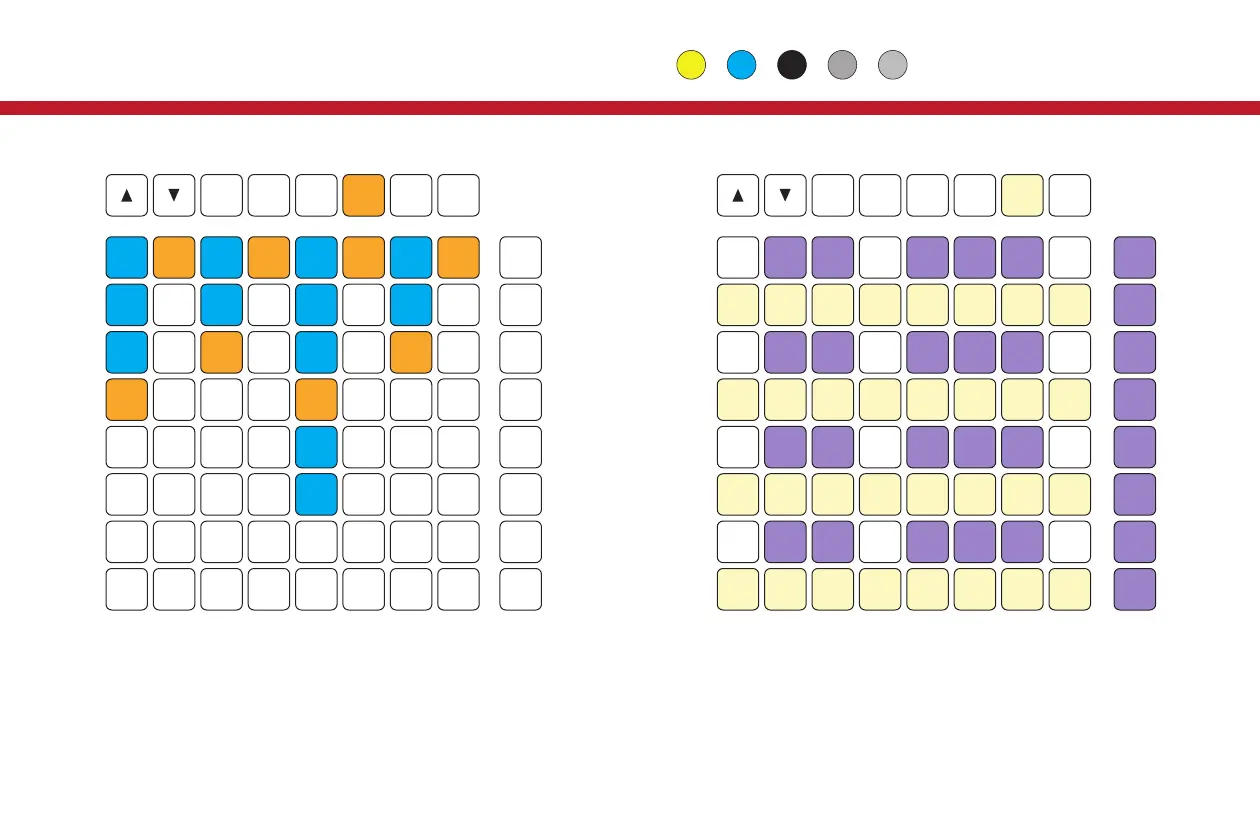
The Preset page is arranged in columns and lets you select
Presets for each Part. Active Presets are in amber, all others
that exist in blue. Use the Up and Down buttons to scroll to
presets other than the first 8. Use buttons in the rightmost
column to select all Presets in that row.
The Keys page works as a 4 octave keyboard for use with the
Vector’s REC modes. Use the buttons to the right of the main
grid to set the velocity level On the Launchpad X and Pro, all
pads are velocity sensitive. Use the up and down buttons to
transpose the keyboard.
22
Launchpad: Keys
Preset Page
Preset
Keys Page
Keys


 To Next Page