The GLOBALS pages have a wide range of configuration options for the
Vector. There are three main sections: GENERL, PARTS, and ROUTING.
Use Prev & Next to move between them. Use encoder 9 to dial through
the pages of each section. This page covers general settings, Routing is
on the next page, and Parts are covered on pages 14 & 15.
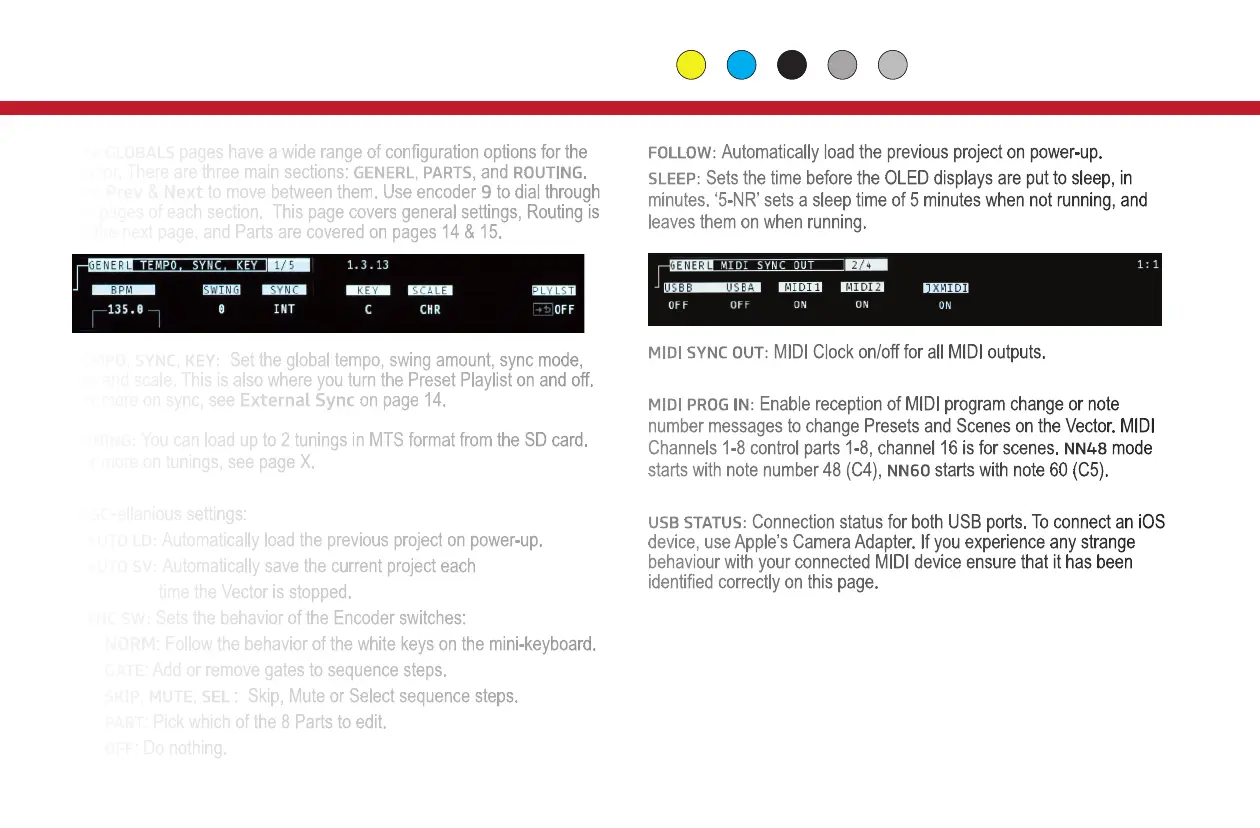
TEMPO, SYNC, KEY: Set the global tempo, swing amount, sync mode,
key and scale. This is also where you turn the Preset Playlist on and off.
For more on sync, see External Sync on page 14.
TUNING: You can load up to 2 tunings in MTS format from the SD card.
For more on tunings, see page X.
MISC-ellanious settings:
AUTO LD: Automatically load the previous project on power-up.
AUTO SV: Automatically save the current project each
time the Vector is stopped.
ENC SW: Sets the behavior of the Encoder switches:
NORM: Follow the behavior of the white keys on the mini-keyboard.
GATE: Add or remove gates to sequence steps.
SKIP, MUTE, SEL : Skip, Mute or Select sequence steps.
PART: Pick which of the 8 Parts to edit.
OFF: Do nothing.
7
FOLLOW: Automatically load the previous project on power-up.
SLEEP: Sets the time before the OLED displays are put to sleep, in
minutes. ‘5-NR’ sets a sleep time of 5 minutes when not running, and
leaves them on when running.
MIDI SYNC OUT: MIDI Clock on/off for all MIDI outputs.
MIDI PROG IN: Enable reception of MIDI program change or note
number messages to change Presets and Scenes on the Vector. MIDI
Channels 1-8 control parts 1-8, channel 16 is for scenes.
NN48 mode
starts with note number 48 (C4),
NN60 starts with note 60 (C5).
USB STATUS: Connection status for both USB ports. To connect an iOS
device, use Apple’s Camera Adapter. If you experience any strange
behaviour with your connected MIDI device ensure that it has been
identified correctly on this page.
Global
Globals & Tempo


 To Next Page
 Loading...