18 www.ama.pt
TROUBLESHOOTING
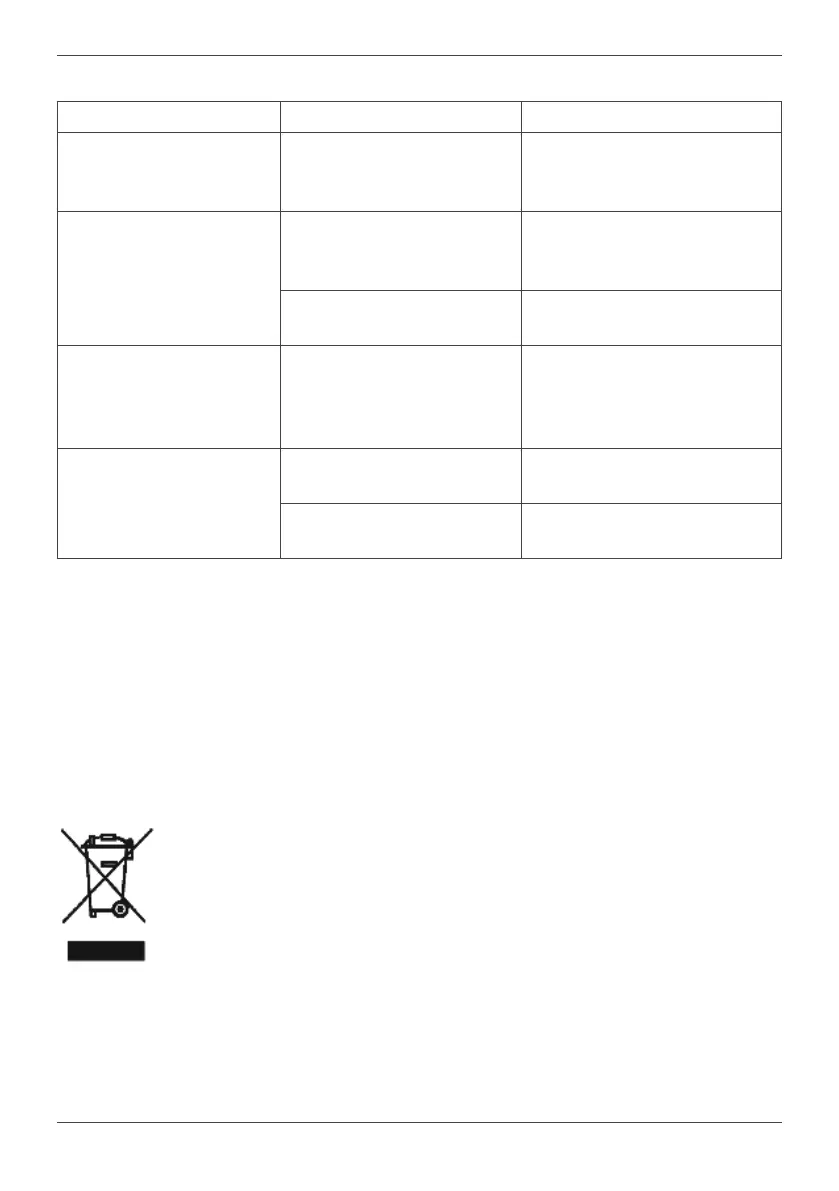
Problem Cause Soluon
The appliance does not
work.
The appliance is not
plugged into the electrical
socket.
Connect the appliance to the
electrical socket.
There is a slight burning
smell during operaon.
First uses.
This is normal and will
disappear aer the rst few
uses.
Motor unit is overloaded.
Adhere to the indicated
quanes.
The device switches o
during operaon.
Motor overheang.
Unplug the appliance from
the electrical socket and wait
30 minutes before plugging it
in again.
The blade does not
rotate.
Poor appliance assembly.
Follow the instrucons in the
“Use and care” secon.
Pieces are too big.
Cut the ingredients into
smaller pieces.
ANOMALIES AND REPAIR
In case of malfuncon, please take the
appliance to an authorized Technical
Assistance Service. Do not aempt to
disassemble or repair the appliance, as this
may be dangerous.
PROTECTING THE ENVIRONMENT
This symbol indicates the
separate collecon of electrical
and electronic equipment.
The main objecve of the
separate collecon of this
waste is to reduce the quanty
to be disposed of, promote re-
use, recycling and other forms of recovery
in order to reduce its negave eects on
the environment.
When it is no longer in use, this appliance
must not be disposed of together with
other unsorted municipal waste.
The user is responsible for delivering it
free of charge to the selecve collecon
facilies available for that purpose.
Pieces of equipment that are no longer in
use can also be taken back at points of sale,
by purchasing new pieces of equipment
that are equivalent and have the same
funcons.
For more detailed informaon on collecon
points, please contact your City Council or a
point of sale for this equipment.


 To Next Page