8
PAGE 1 (SETUP FIRE FIRMWARE VERSION)
LCDCt: 01..32 LCD contrast
Param: pick/jump Parameter change pick or jump
PAGE 2 (MIDI NOTE NUMBERS)
Note numbers can be set for all 8 instrument channels: 000..126, all
000..126 = one instrument note number on MIDI channel 10
all = all note numbers, instrument channel = MIDI channel (1-8)
PAGE 3 (MIDI DUMP KITS)
Load or save KITs via SYSEX file.
Poti 5 = set Send/Load
Poti 6 = set KIT number: all, 1-128
PAGE 4 (MIDI DUMP INSTRUMENTS)
Load or save INSTRUMENTSs via SYSEX file.
Poti 5 = set Send/Load
Poti 6 = set Instrument number: all, 1-9 Instrument name
PAGE 5 (MIDI PROG. CHANGE)
Load a KIT via MIDI program change command.
Poti 6 = set Receive MIDI channel for program change commands: 1-16,off
PAGE 6 (KIT AUTO LOAD)
Poti 5 = set KIT number 001..128
OUTPUT ASSIGN - Menu VOLUME - Page 2
Determination on which audio output the drum instrument is routed:
1-6: Direct outputs AUDIO 1-6
M: Stereo Main-Output
USER CV ASSIGN MORPH - Menu MORPH - Page 2
Defining the parameter control with the USER1/2 CV inputs.
Poti 2 = USER1 Morph 1-8, Main
Poti 6 = USER2 Morph 1-8, Main
KIT LOAD/SAVE
Load KIT:
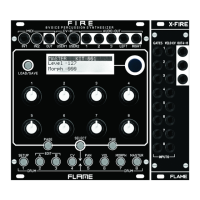
Briefly pressing the LOAD/SAVE button calls up the LOAD menu. Use the DATA knob
to select the KIT number (001-128), press the DATA knob to load.
Save KIT:
A long press on the LOAD/SAVE button calls up the SAVE menu. Use the DATA knob
to select the memory location (001-128), press the DATA knob to save.
ADVICE: The menu cannot be called up in EDIT menus A and B. Leave the menu pre-
maturely (cancel function) by pressing the LOAD button again.
INSTRUMENT LOAD/SAVE
Load INSTRUMENT:
Briefly pressing the LOAD/SAVE button calls up the LOAD menu. Use the DATA knob
to select the instrument (1-32), press the DATA knob to load. Hear beforehand by pres-
sing the FIRE button.
Save INSTRUMENT:
A long press on the LOAD/SAVE button calls up the SAVE menu. Use the DATA knob
to select the memory location (1-32), press the DATA knob to save.
ADVICE: The menu can only be called up in EDIT menus A and B. Leave the menu
prematurely (cancel function) by pressing the LOAD button again.
SETUP MENU


 To Next Page
 Loading...