3
What next?
Your bre start date
It is important that you do not plug in this router before the go live date,
otherwise you will not be able to connect to our network. Also, your internet
connection with your current provider (if you have one) will stop working as
soon as you unplug their equipment. Don’t worry if you do unplug it though,
your previous broadband connection will be re-instated when you plug in their
router again.
Installation
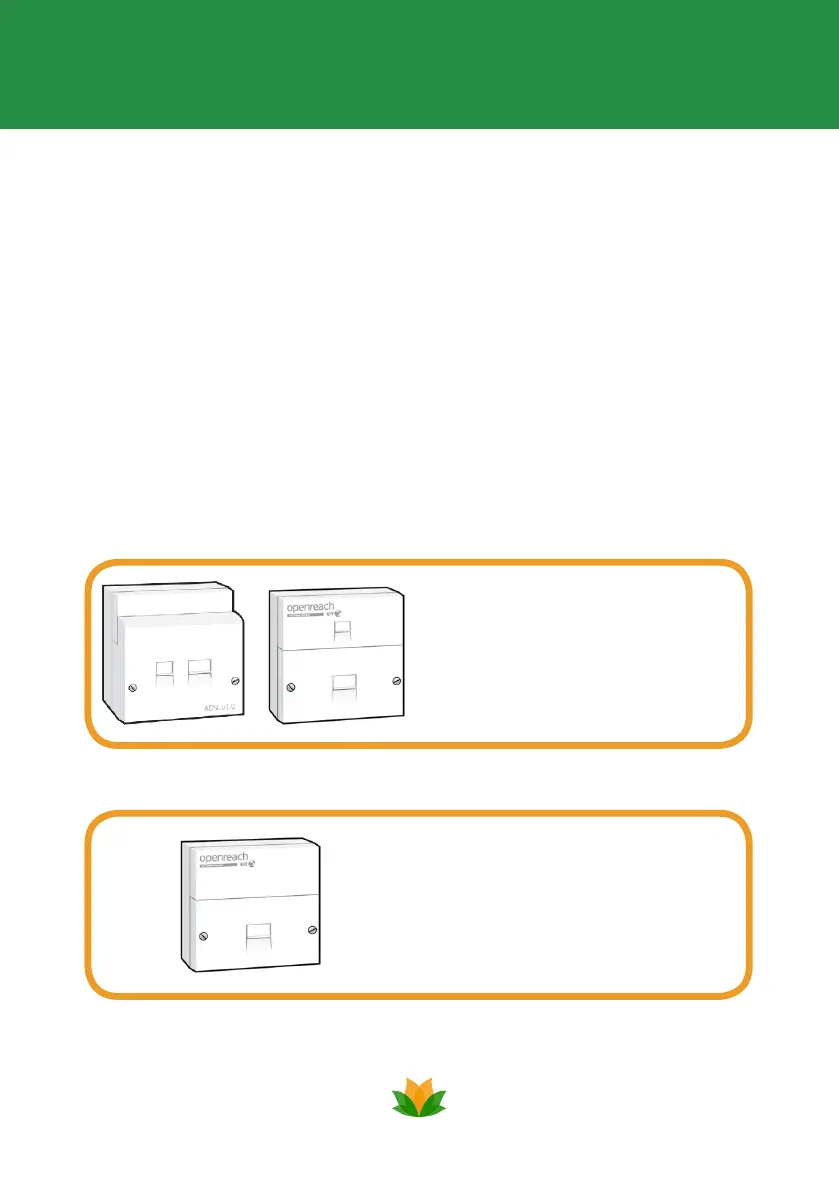
The way in which your router should be connected will depend on what type of socket
you have. You are likely to have either of the following sockets:
This type of master socket is pre-ltered
and will have 2 ports visible. If you have
this type of socket, please follow Setup
1 on page 4.
This type of master socket requires additional
lters which are supplied in this pack. If you
have this type of socket please follow Setup
2 on page 5.


 To Next Page