5
How to set up your router
1
4
3
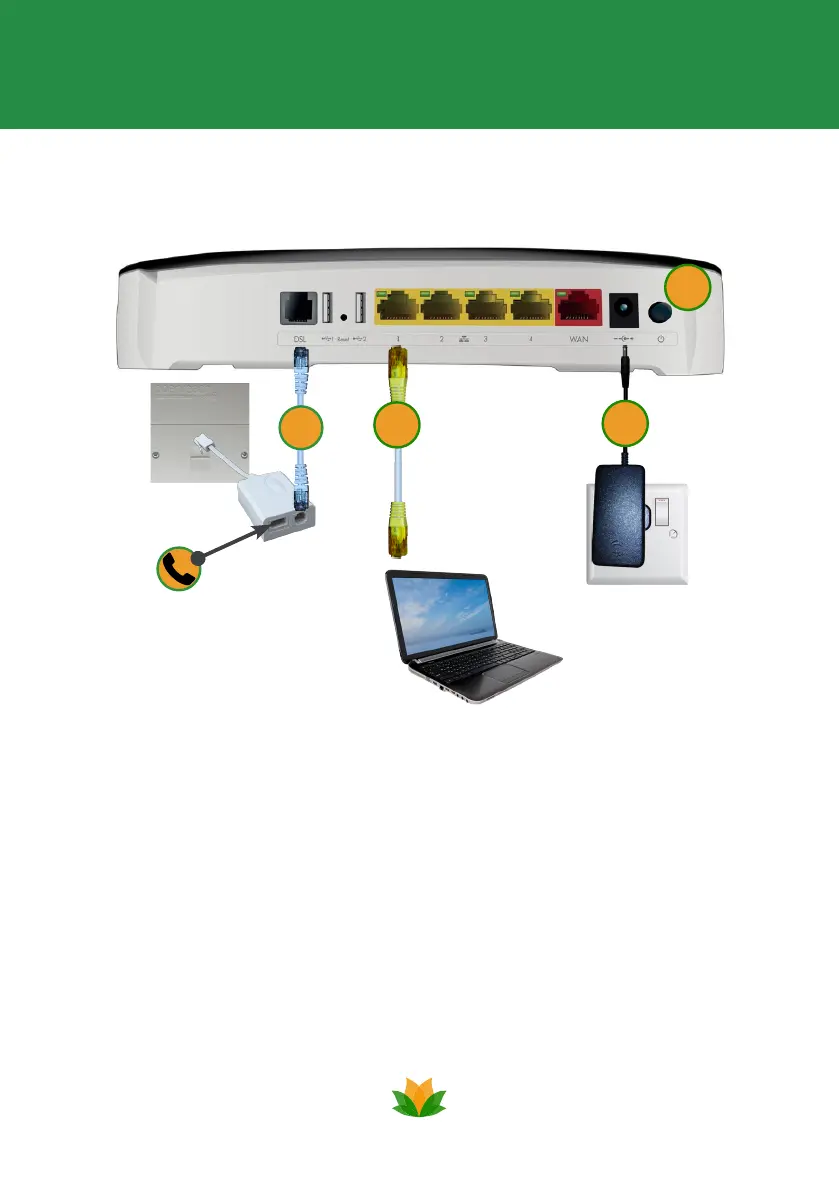
1. Connect the power supply to the power socket on your router and into
an electrical mains socket.
2. Connect the grey cable into the grey DSL port on the router, plugging the
other end into the modem port of the lter. Then, plug the lter into your
phone socket and your home phone into the phone port of the lter.
3. Connect devices directly into your router using the yellow cable. Plug
one end into one of the yellow sockets on your router and the other into
the network port of your device. Or, to connect your devices wirelessly,
simply follow the instructions on page 7.
4. Press the power button on the back of your router. The router lights will
icker briey.
2
Setup 2


 To Next Page