Operating instructions S 36 English
15
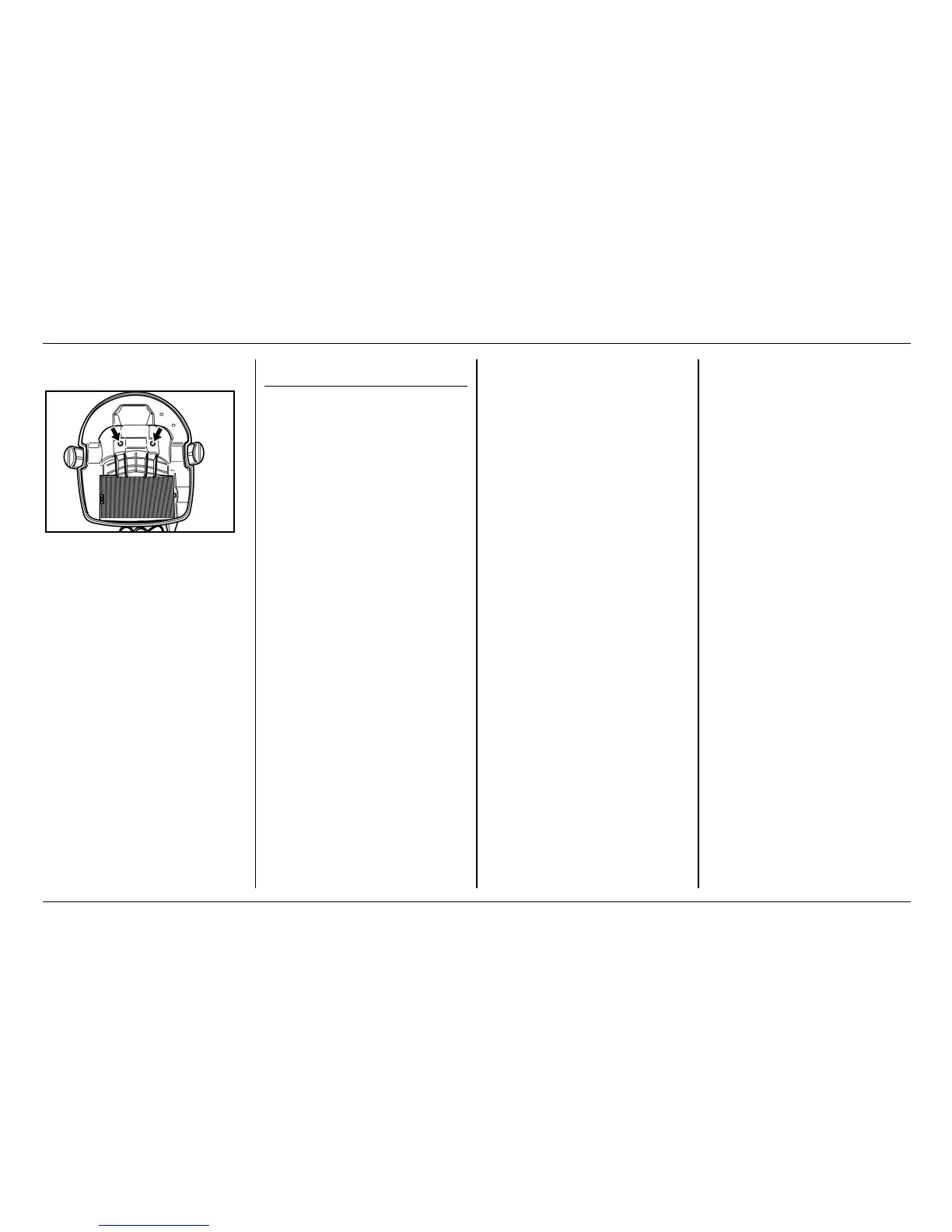
Clean electrodes
! Unlock and remove the suction
head
! Clean electrodes
! Replace the suction head and
lock it in place
Fault instructions
The suction turbine does not
run
! Check the cable, plug, fuse and
socket.
! Switch on the machine.
The suction turbine switches off
! Empty the container.
The suction turbine does not
restart following emptying of
the container
! Switch the appliance off and
wait for 5 s, switch it on again
after 5 s.
! Clean the electrodes as well as
the space between them.
The suction power decreases
! Remove blockages from
suction nozzle, suction pipe,
handgrip of "clear filter", suction
hose or flat pleated filter.
! Change the paper filter bag.
! Cleaning filter: Actuate "clear
filter" several times at handgrip.
! Engage the filter cover
properly.
! Replace the flat pleat filter.
Dust ejects when sucking
! Check the proper mounting
position of the flat pleat filter.
! Replace the flat pleat filter.
The (wet-vacuuming) automatic
switch-off does not respond
! Clean the electrodes as well as
the space between them.
! Constantly check fill level when
vacuuming electrically non-
conductive liquids.
"Clear filter" switches itself on
nonstop
! Detach blocked suction nozzle
or end of hose.
! Stop continuous sucking up
from container of liquid or
switch off "clear filter" function
(see section Wet Vacuuming).
! Remove blockages from
suction nozzle, suction pipe,
handgrip of "clear filter", suction
hose or flat pleated filter.
! Replace the flat pleat filter.


 To Next Page