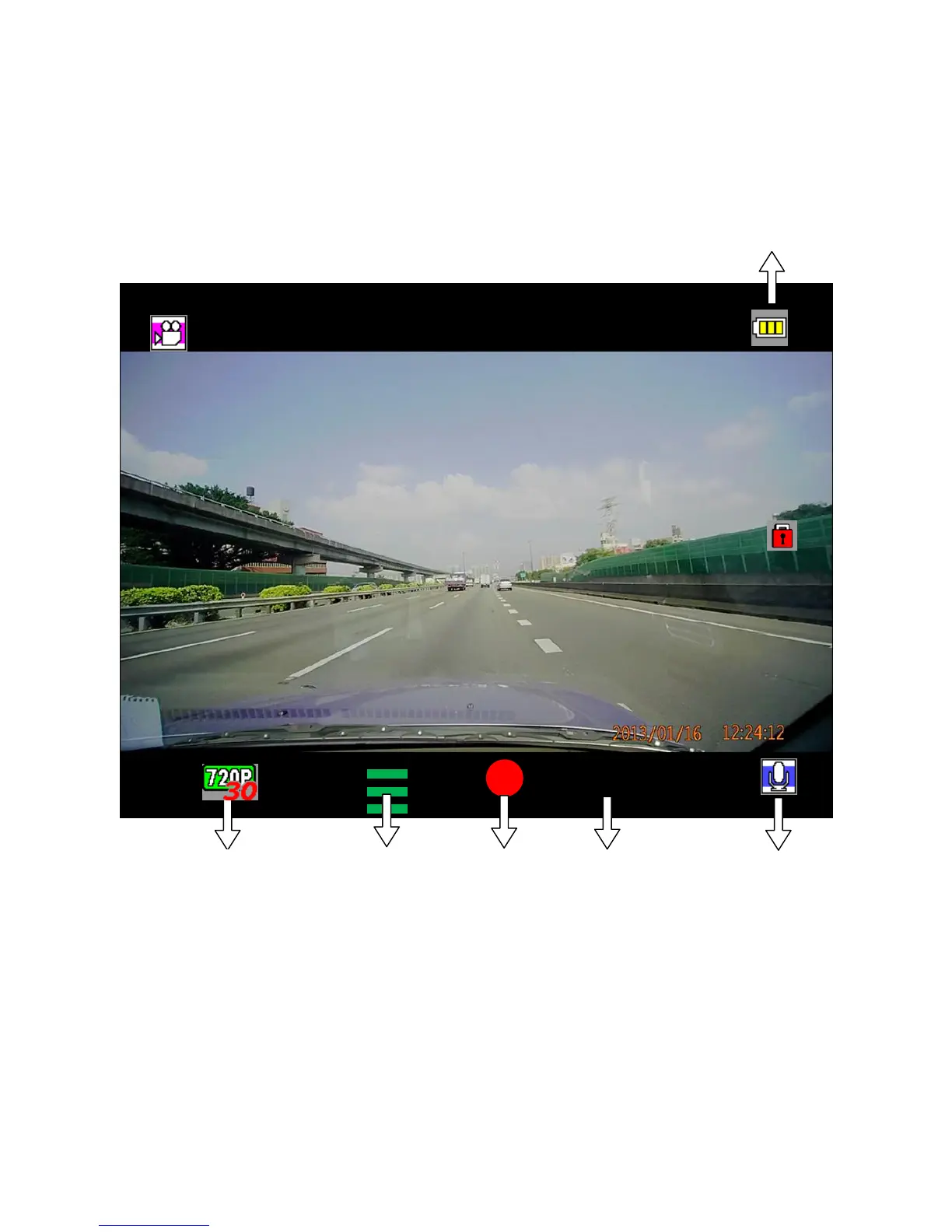
Recording Screenshot
Press to manually lock current recording file
Press ENTER to pause recording, if no action, recording will resume
after 10 seconds
Press MENU to enter Menu
Press to show camera view guide lines as the cursor, press again to
turn off (60sec after power on)
*Warning: Do not remove microSD card during recording


 To Next Page