Operation
Operators manual 21
FDS 400-301
4.2.4 Creating the Aircraft List on the HHMPI
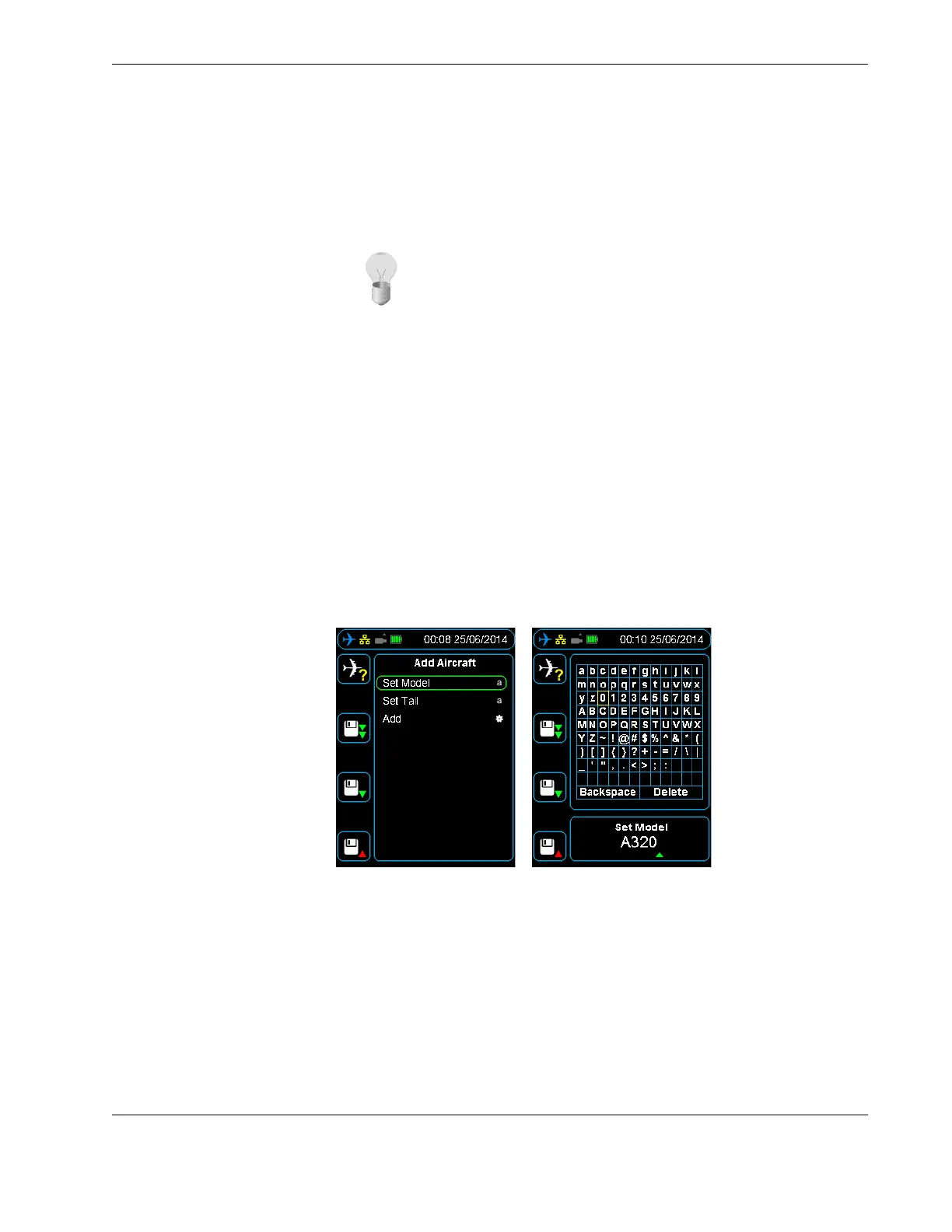
To create, or add to, the Aircraft List on the HHMPI, from the Add Aircraft menu:
1. Press down until you reach the Set Model command, and then press right.
2. Press up to enter the alphabetical grid, and then press the up, down, left and right
buttons to enter data.
3. When complete, press cancel to exit the alphabetical grid.
4. Press OK to confirm your selection.
5. Repeat steps 1 to 4 for Set Tail.
6. Press down until you reach the Add command, and then press right to confirm.
7. Press OK to confirm your selection.
To add additional aircraft, repeat steps 1 to 6 for each aircraft. See Section Figure 11.0,
”Adding aircraft to the Aircraft List on the HHMPI” on page 21.
Figure 11.0 Adding aircraft to the Aircraft List on the HHMPI
4.2.5 Adding Entries to the HHMPI Aircraft File
See Section 4.2.4, ”Creating the Aircraft List on the HHMPI” on page 21.
4.2.6 Deleting an aircraft from the Aircraft list on the HHMPI
To delete an aircraft from the Aircraft list on the HHMPI, from the Device Configuration
menu:
▼▲
Main Menu > Device Configuration > Aircraft Settings > Add Aircraft
Tip For a large amount of aircraft, consider importing an Aircraft List
as a comma separated variable file (aircraft.csv). See Section 4.2.2, ”Cre-
ating an Aircraft List on a PC” on page 20.
▼▲
Main Menu > Device Configuration > Aircraft Settings > Delete Aircraft



 To Next Page