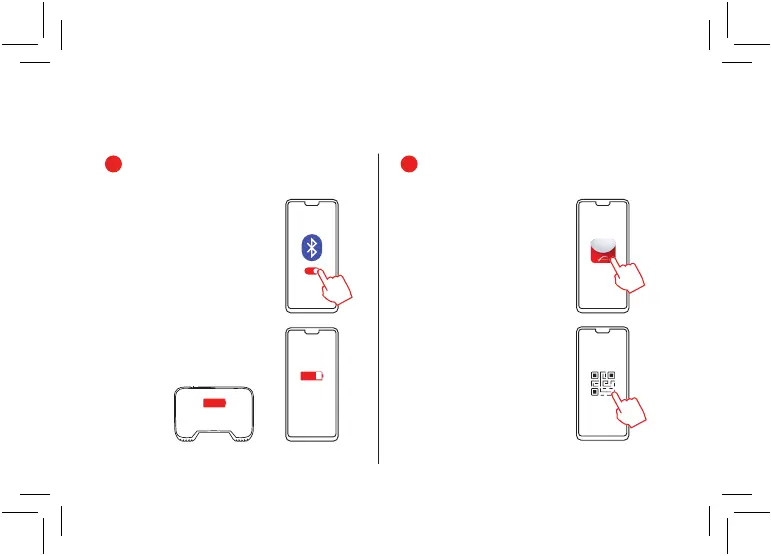
Open the Mevo App on your phone
and log in or sign up.
In the Mevo App, locate the QR
code scanner.
Download and install the Mevo App
onto your mobile device.
Make sure your mobile device’s
bluetooth is set to on.
Make sure your mobile device and
Mevo are fully charged before
getting started.
1
2
6
First Time Setup
100%
50%
or more


 To Next Page