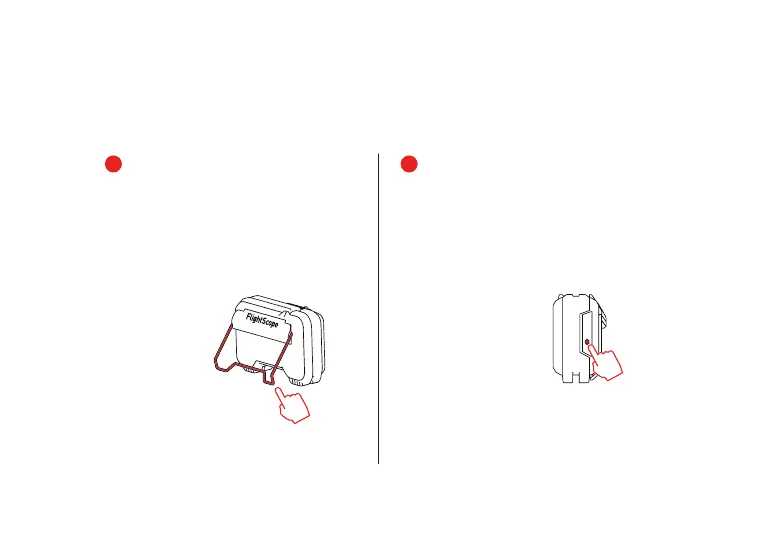
When finished with your session,
switch off the Mevo by pressing
and holding the button until all
the indicators are off.
Visit myflightscope.com to
review saved sessions and track
performance.
You are now ready to start using
your Mevo.
Open the kickstand and place
behind your tee position (see
page 9).
press
and hold
5
6
open
8


 To Next Page