EasyManua.ls Logo

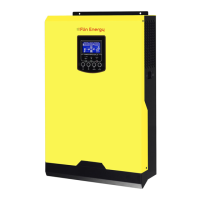
Flin Energy 3KVA - User Manual

Default Icon
43 pages
Print Icon
To Next Page IconTo Next Page
Loading...
3KVA/5KVA
INVERTER / CHARGER
Version: 1.1
User Manual

Questions and Answers

Summary

About This Manual

Purpose of the Manual

This manual describes the assembly, installation, operation and troubleshooting of this unit.

Manual Scope

This manual provides safety and installation guidelines as well as information on tools and wiring.

Introduction

Product Features

Lists the key features of the multi-function inverter/charger.

Basic System Architecture

Explains the basic application of the inverter/charger with a diagram.

Product Overview

Wall-mounted Configuration

Diagrams and labels for the wall-mounted inverter unit.

Desktop Configuration

Diagrams and labels for the desktop inverter unit.

Installation

Unpacking and Inspection

Lists the items included in the package and inspection procedures.

Wall-mounted Installation

Guidance on selecting a location and mounting the inverter on a wall.

Desktop Installation

Steps to convert the inverter to a desktop configuration.

Battery Connection

Recommended Battery Cable and Terminal Size

Table detailing cable specifications and torque values for battery connection.

AC Input;Output Connection

Suggested AC Wire Requirements

Table detailing cable gauge and torque for AC connections.

PV Connection

PV Module Selection

Guidelines for selecting PV modules based on voltage and current parameters.

Solar Charger Specifications

Specifications for solar charging capabilities of the inverter.

Communication Connection

Operation

Power ON;OFF

Instructions on how to turn the unit on and off.

Operation and Display Panel Overview

Description of the front panel indicators, function keys, and LCD display.

LCD Display Icons

Input and Output Information Icons

Explanation of icons related to input/output sources and power.

Battery and Load Status Icons

Explanation of icons for battery level, load percentage, and overload.

Mode Operation Icons

Icons indicating different operating modes like ONLINE, BATT. MODE, and FAULT.

LCD Setting

Basic Configuration Programs (Programs 00-09)

Covers exit mode, source priority, input voltage range, and output frequency settings.

Advanced Configuration Programs (Programs 11-31)

Manages charging current, voltage points, charger priority, and operational parameters.

Display Setting

Input;Output Information Display

Shows input/output voltage, frequency, and PV voltage on the LCD.

Power and Battery Status Display

Displays total charging power, solar charging power, battery voltage, and output frequency.

System Version and Mode Information

Displays CPU versions and describes operating modes like Standby and Fault.

Operating Mode Description

Standby;Power Saving Mode

Describes standby and power saving modes and their behavior.

Fault Mode

Explains fault mode and its causes.

Line Mode Operation

Describes the operation in Line Mode.

Battery Mode Operation

Describes the operation in Battery Mode.

Fault Reference Code

Fault Codes and Descriptions

Lists fault codes, their descriptions, and corresponding icons.

Warning Indicators

Describes warning events, audible alarms, and flashing icons.

Specifications

Line Mode Specifications

Details input voltage, output, efficiency, and transfer time in line mode.

Inverter Mode Specifications

Specifies rated output, voltage regulation, DC input, and power consumption.

Charge Mode Specifications

Details utility, solar, and joint charging parameters and algorithms.

General Specifications

Provides safety certification, operating range, dimensions, and weight.

Troubleshooting

Startup and Response Issues

Troubleshooting automatic shutdown and no response issues.

Operation Mode and Alarm Issues

Resolves issues with mains presence, relay switching, and continuous alarms.

Specific Fault Code Troubleshooting

Addresses issues related to specific fault codes from 01 to 56.

Appendix I: Parallel Function

Introduction to Parallel Operation

Overview of parallel operation modes and capabilities for the 5K model.

Parallel Kit Package Contents

Lists the items included in the parallel kit for multi-unit setup.

Parallel Board Installation

Step-by-step guide for installing the parallel board into the unit.

Mounting and Wiring for Parallel Units

Guidelines for mounting multiple units and their wiring connections.

Single-Phase Parallel Wiring

Wiring diagrams for single-phase parallel operation of 2 to 6 inverters.

Three-Phase Equipment Support Wiring

Wiring diagrams for supporting three-phase equipment with multiple inverters.

LCD Setting and Display (Parallel)

Program 28: Parallel AC Output Mode

Configures AC output mode for parallel operation across phases.

Program 30: Parallel PV Judge Condition

Sets PV judge condition for solar priority in parallel systems.

Commissioning

Single-Phase Parallel Commissioning

Commissioning steps for single-phase parallel operation of inverters.

Three-Phase Equipment Commissioning

Commissioning steps for supporting three-phase equipment with multiple inverters.

Troubleshooting (Parallel)

Parallel Operation Fault Codes

Lists fault codes specific to parallel operation and their resolution.

Appendix II: Backup Time Table

Backup Time Calculations

Provides estimated backup times based on load and battery capacity.

Flin Energy 3KVA Specifications

General IconGeneral
WaveformPure Sine Wave
Rated Power3KVA
Output Voltage220V AC
Output Frequency50Hz
Protection FeaturesOverload, Short Circuit, Over Temperature
Operating Temperature0°C to 40°C
CoolingForced Air Cooling

Related product manuals