IV. Troubleshooting & Maintenance Flo-Dynamics
®
TSD450™
20
Printed in the U.S.A. for Flo-Dynamics ®
Operations Manual
IV. TROUBLESHOOTING & MAINTENANCE
4.01 COMMON PROBLEMS / SOLUTIONS
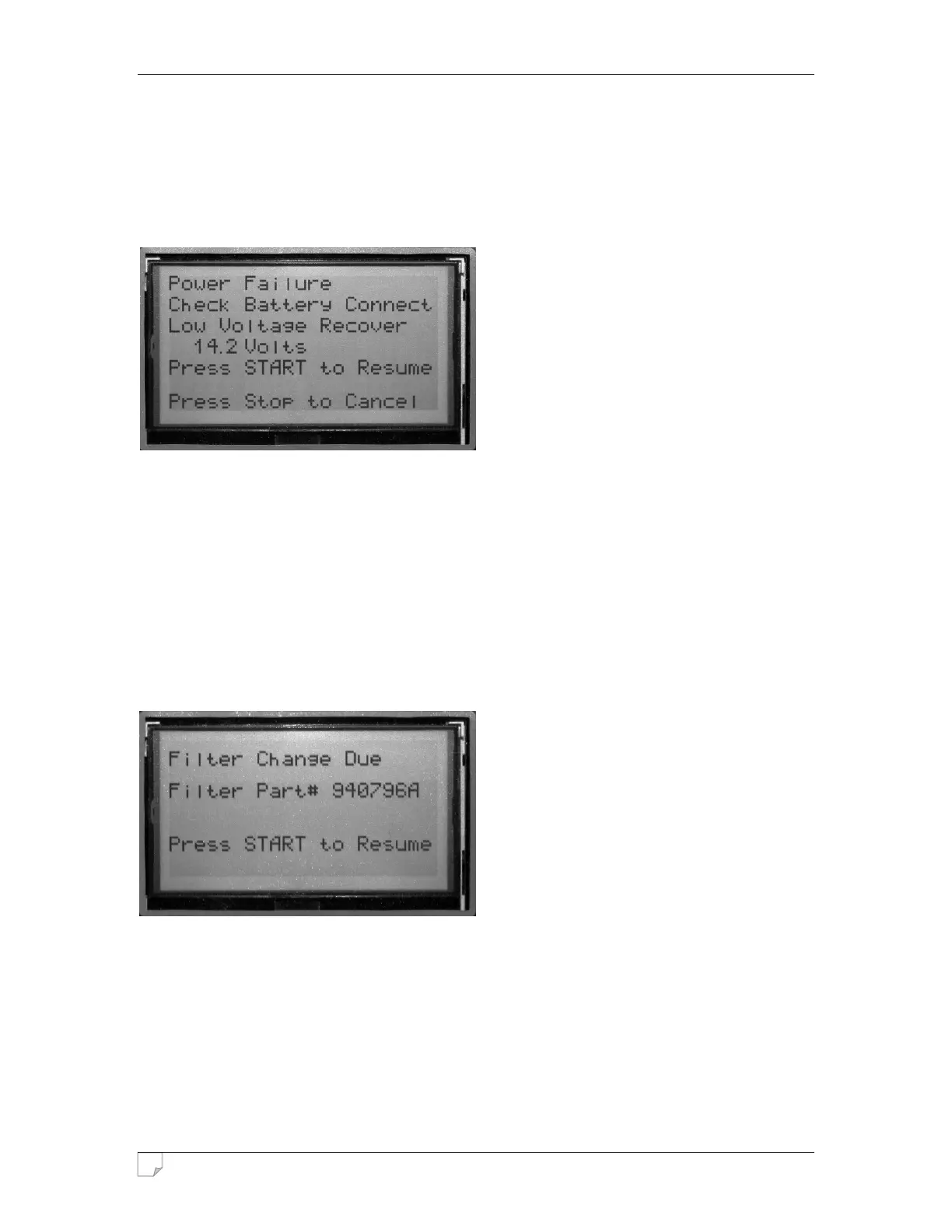
Problem: “Power Failure” screen displays
Solution 1: Check battery connection. Make sure there are no loose connections, and the
machine’s battery clips are not reversed. Remove all corrosion from the battery
terminals. Make sure vehicle’s A/C system is turned off.
Solution 2: The vehicle’s battery is not putting out enough voltage to run the machine.
Connect the machine to a better 12V power source.
Stand-alone shelf batteries will not work.
4.02 MAINTENANCE PROCEDURES
• Replace Canister Filters (Part#: 940796A) when machine prompts you to do so:
Use a standard filter band clamp tool to unscrew old filters, and replace them with new filters.
Make sure new filters are on tight.
• Clean Waste Fluid Screen (Located in bottom of recessed hose tray area)
This helps eliminate surface tension caused by debris and contamination from the air.
Using a sharp pick, remove screen. Clean using degreaser and brush, and blow out with air
compressor.
• Periodically Wipe Down Exterior using a soft, damp cloth.


 To Next Page