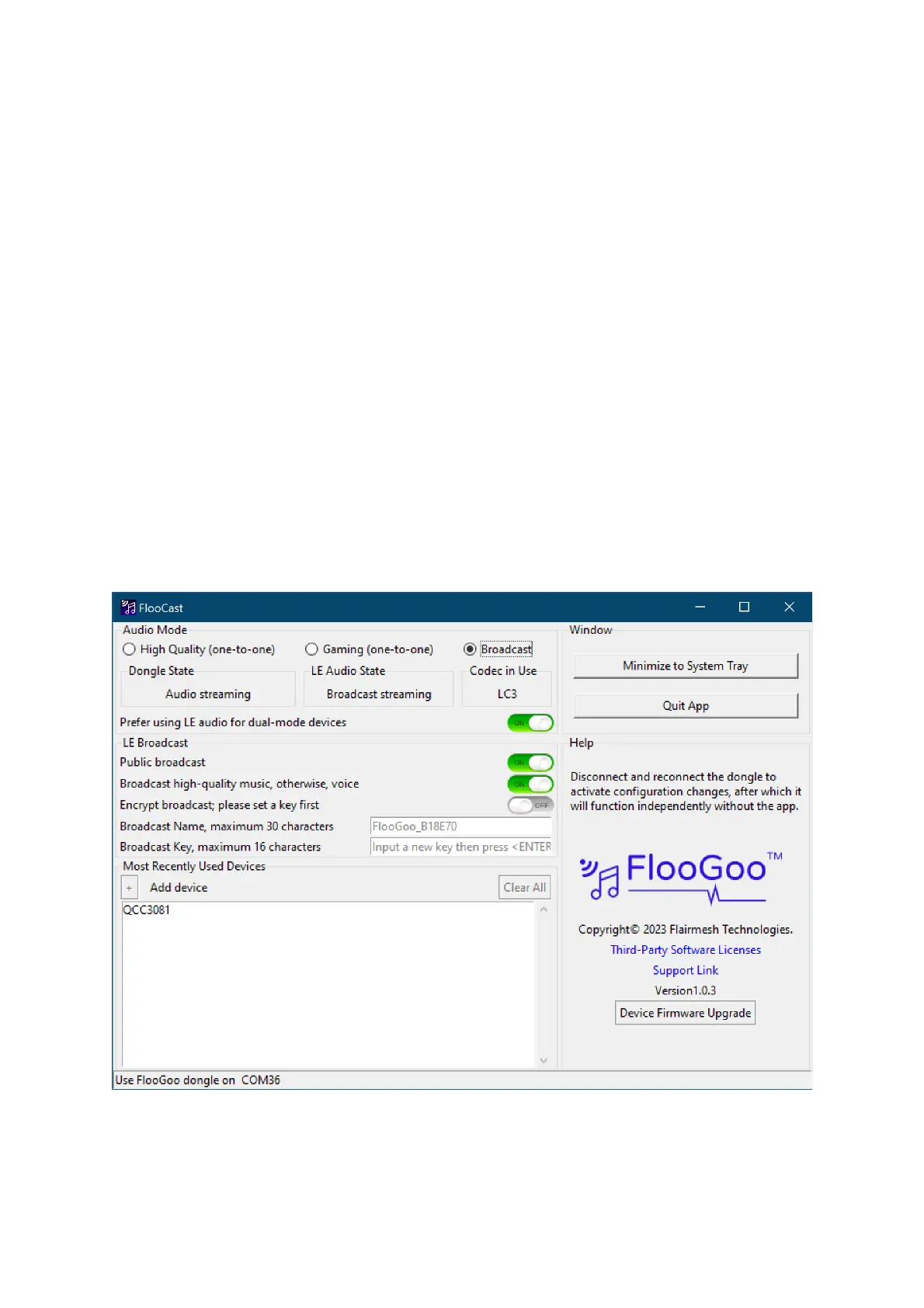
Altered settings are stored within the dongle, and it will operate with the new
settings the next time it powers on. The app is not necessary unless you need
to configure new settings.
To manually initiate a new pairing, click the '+' button in the 'Most Recently
Used Devices' section, and the dongle will search for the closest Bluetooth
headset device in pairing mode, automatically establishing a connection. The
name of the paired and connected device will be displayed in the list along
with those devices that have been used before.
As the FMA120 is a dual-mode audio source dongle, it can operate with both
classic Bluetooth headsets and the latest Bluetooth low-energy audio
headsets. For headsets that also support dual-mode, the app allows you to set
your preference for either using classic Bluetooth or LE audio to stream audio.
Broadcast mode
Tip: Please select FMA120 as your PC’s playback device and start playing
some music to enable broadcasting.



 To Next Page