LJ3204P User Manual
16/26
Edit by Victor Xu
Copyright2011@ Shenzhen Runtianzhi Digital Equipment Co.,Ltd www.floradigital.com.cn
Printingjob
Jobs in the RIP queue will process in the order of the Job Priority setting in their Job Properties.
When multiple jobs with the same priority are waiting in the queue, the job received first will process
first.
Do one of the following:
Click the Send button in the toolbar.
Select the job and from the File menu, select Send.
Right-click the job and select Send from the context menu.
Click the Print Wizard button in the toolbar.
2.3.3 How to set advance job properties
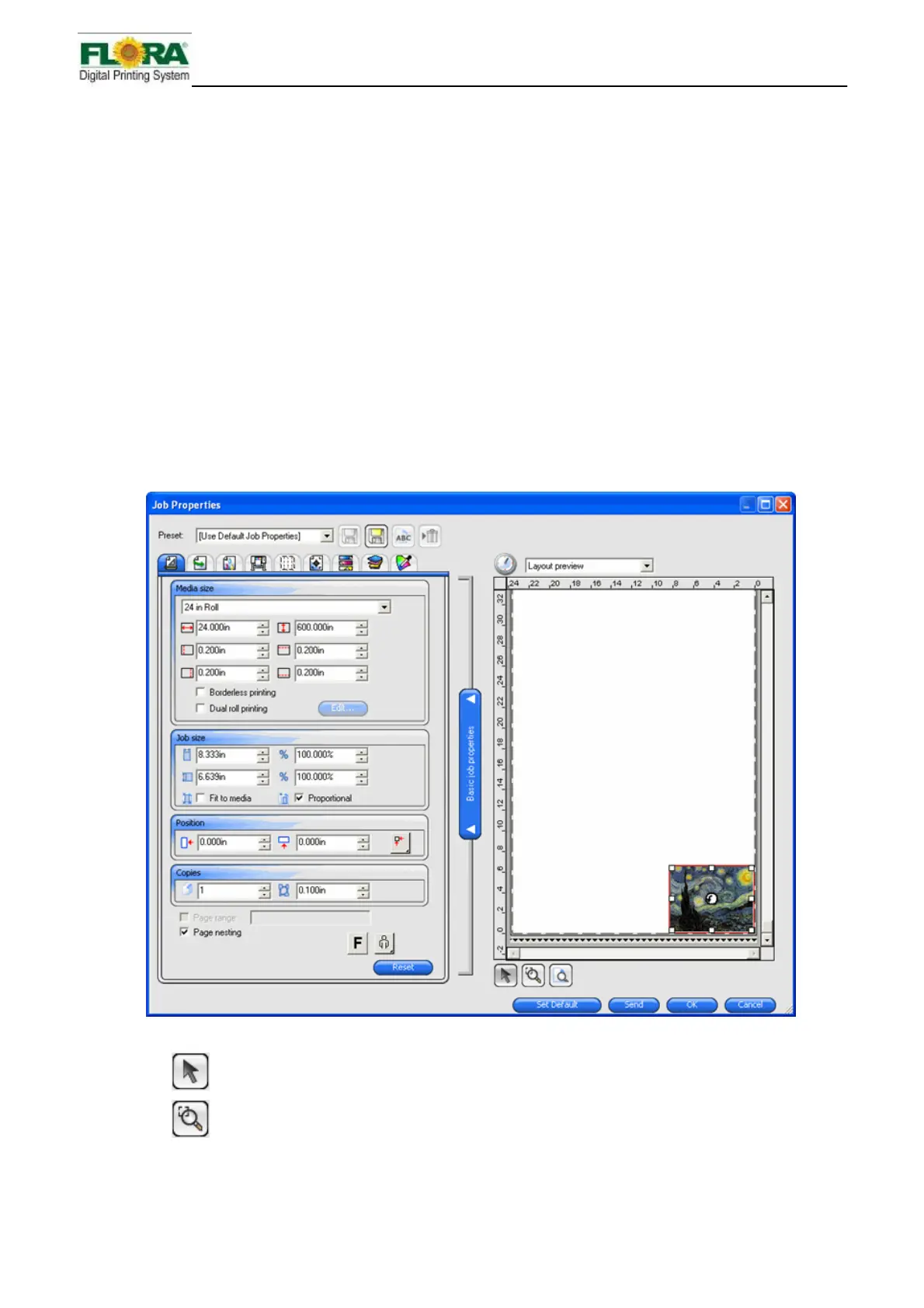
Advanced Job Properties offers many options and tabs for tweaking a job.
To access Advanced Job Properties, click the Advanced job properties button from the Job
Properties dialog.
The left side of the dialog contains the tabs on which the job properties can be set. The right side
contains a preview pane that displays the job as it will appear on the output.
1. Preview Pane
Use to select or move a job in the preview pane.
Zooms in at twice the magnification of the current view. The point you click on
will become the center of the view.
Hold Ctrl and click to zoom out to half the magnification of the
current view. The point you click on will become the center of the view.



 To Next Page