EasyManua.ls Logo

FLORABEST FTP 400 D3 - User Manual

FLORABEST FTP 400 D3
34 pages
Print Icon
To Next Page IconTo Next Page
Loading...
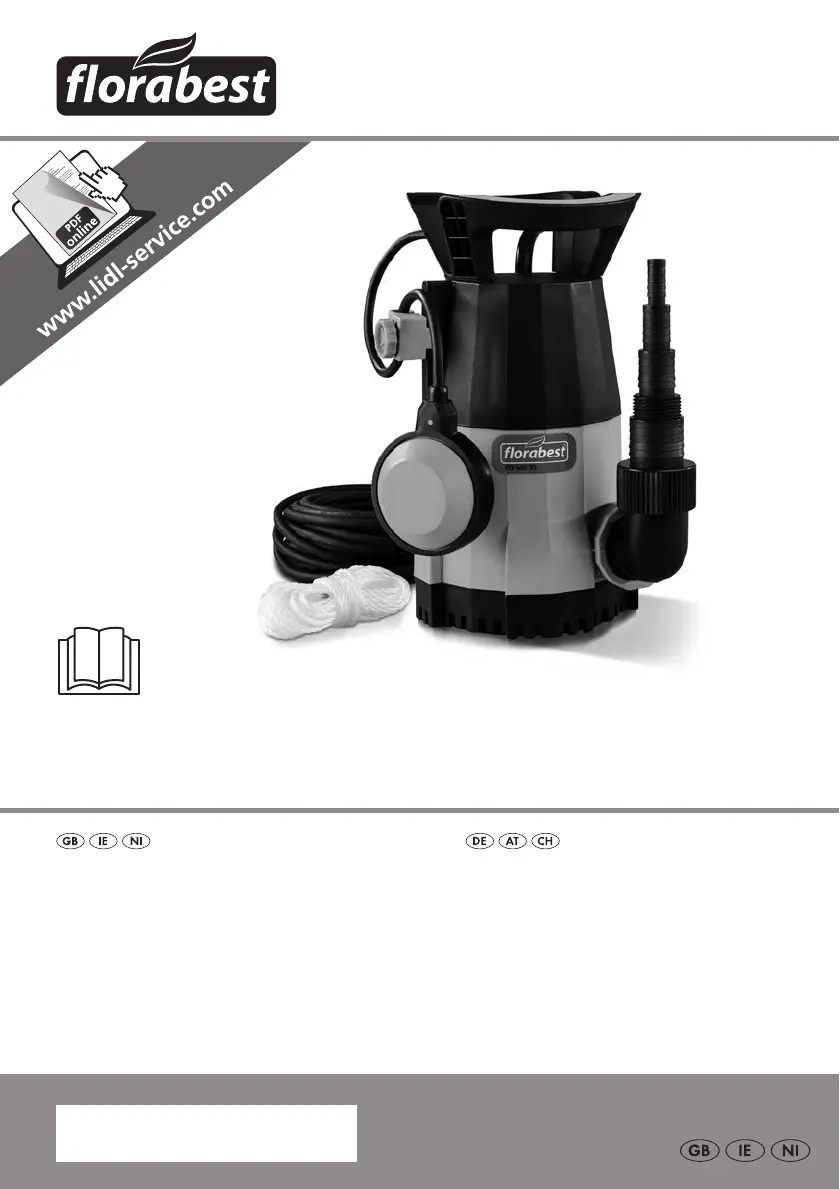
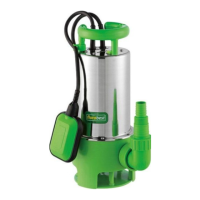
SUBMERSIBLE WATER PUMP FTP 400 D3
IAN 285189
KLARWASSER-TAUCHPUMPE
Originalbetriebsanleitung
SUBMERSIBLE WATER PUMP
Translation of the original instructions
®
285189_flo_Tauchwasserpumpe_cover_GB_IE_NI.indd 2 06.04.17 08:35

Table of Contents

Questions and Answers

  • J
    Jamie JacksonAug 13, 2025
    What to do if FLORABEST Water Pump has no discharge?
    • G
      Gerald EscobarAug 13, 2025
      If your FLORABEST Water Pump isn't discharging water, there might be a few reasons: * The pump pedestal inlet grating could be blocked. In this case, use a water jet to clean it. * Severely contaminated water may reduce pump performance. Clean the pump. * The backflow stop might be incorrectly fitted or faulty. Check its connection and replace if needed.
  • V
    vjordanAug 16, 2025
    Why does my FLORABEST FTP 400 D3 switch off after a short period?
    • M
      marshrobinAug 16, 2025
      Your FLORABEST Water Pump might be switching off due to: * Severe water pollution causing the motor contactor to disconnect the pump. To resolve this, pull out the power plug and clean both the pump and the shaft. * High water temperature causing the motor contactor to break. Make sure that the water temperature doesn't exceed 35°C.
  • J
    Jason CarterAug 20, 2025
    Why is the flow rate insufficient in my FLORABEST FTP 400 D3 Water Pump?
    • K
      Kevin MoraAug 20, 2025
      An insufficient flow rate in your FLORABEST Water Pump could be due to several factors: * A blocked pump pedestal inlet grating. Clean it using a water jet. * Reduced pump performance from severely contaminated water. Clean the pump. * An incorrectly fitted or faulty backflow stop. Check the backflow stop’s connection and replace it if necessary. * The backflow stop reducing pump performance. Remove the backflow stop from the angle adaptor.
  • B
    Bradley FarrellAug 25, 2025
    How to fix a FLORABEST Water Pump that does not start?
    • D
      Daniel MurphyAug 25, 2025
      If your FLORABEST Water Pump isn't starting, check the following: * Make sure the mains voltage is applied by checking the plug socket, cable, line, and plug. If necessary, have it repaired by an electrical specialist. * Verify that the float switch is working. Bring the float switch into a higher position.
  • K
    kristen99Aug 27, 2025
    What to do if FLORABEST FTP 400 D3 Water Pump does not switch off?
    • K
      Karen JamesAug 27, 2025
      If your FLORABEST Water Pump is not switching off, it might be because the float switch cannot drop. To fix this, set up the pump correctly on the pit base.
  • M
    Mrs. Sandra SmithAug 31, 2025
    What to do if FLORABEST FTP 400 D3 Water Pump does not start?
    • M
      Mr. John WatkinsAug 31, 2025
      If your FLORABEST Water Pump isn't starting, there could be a few reasons. First, ensure the pump is receiving power by checking the plug socket, cable, line, and plug. If any of these are faulty, have them repaired by a qualified electrician. Another potential cause is a malfunctioning float switch.
  • H
    Heather DaltonSep 4, 2025
    Why FLORABEST Water Pump does not switch off?
    • J
      Julie MoonSep 4, 2025
      If your FLORABEST Water Pump is not switching off, it may be because the float switch cannot drop. Ensure the pump is set up correctly on the pit base.
  • L
    Lindsey RiveraSep 8, 2025
    How to solve flow rate problems with FLORABEST Water Pump?
    • E
      Emily JohnsonSep 8, 2025
      If you're experiencing flow rate issues with your FLORABEST Water Pump, several factors could be responsible. A blocked pump pedestal inlet grating can restrict flow; use a water jet to clean it. Severely contaminated water can also reduce pump performance, so cleaning the pump is advisable. Check the backflow stop connection and change it if necessary. Additionally, removing the backflow stop from the angle adaptor might improve flow.

Summary

Introduction

Areas of Application

General Description

Scope of Delivery

Lists all items included in the product package.

Overview

Identifies and labels the main parts of the pump.

Functional description

Explains how the pump's float switch and thermal protection operate.

Technical Data

Performance data

Shows the relationship between flow rate and head in a graph.

Notes on Safety

Explanation of symbols

Clarifies the meaning of various warning symbols used in the manual.

Symbols in the manual

Defines instruction, warning, and hazard symbols for user guidance.

Special instructions for safe operating

Provides specific safety rules for operating the equipment safely.

General notes on safety

Working with the equipment

Guidelines for safe handling and operation, including environmental and personal safety.

Electrical safety

Operational start-up

Assembly

Step-by-step guide for connecting adaptors and adjusting the float switch.

Connection of the pressure line

How to attach hoses or pipes for water discharge.

To erect;suspend

Guidance on positioning the pump in water and securing it.

Operation

Mains connection

Details on connecting the pump to the mains power supply.

Switching on and off

Procedure for starting and stopping the pump's operation.

Automatic mode

How the float switch manages automatic switching based on water level.

Manual mode;flat suction

Maintenance and Cleaning

General cleaning instructions

Methods for cleaning the pump after use and during maintenance.

To replace the backflow stop

Clean pump pedestal

Storage

Waste Disposal and Environmental Protection

Troubleshooting

Pump does not start

Diagnosing why the pump fails to initiate operation.

Pumps has no discharge

Identifying and resolving issues related to no water output.

Pump does not switch off

Troubleshooting the pump's failure to stop automatically.

Flow rate insufficient

Addressing reduced water flow and its potential causes.

Pump switches off after a short period

Explaining reasons for the pump shutting down prematurely.

Replacement parts;Accessories

Guarantee

Terms of Guarantee

Details the duration, conditions, and proof of purchase for the guarantee.

Guarantee Period and Statutory Claims for Defects

Explains the guarantee duration and consumer rights.

Guarantee Cover

Clarifies what is included and excluded under the product guarantee.

Repair Service

Service-Center

Importer

Exploded Drawing

FLORABEST FTP 400 D3 Specifications

General IconGeneral
BrandFLORABEST
ModelFTP 400 D3
CategoryWater Pump
LanguageEnglish

Related product manuals