Parc Lafayette
6 rue Isaac Newton
25075 Besançon
France
+33 3 81 54 56 00
Contact@flowbird.group
V3 CLESS – User Manual
www.flowbird.group
4- INSTALLING THE V3 CLESS
4.1 CLESS reader
Tools required: an 8 mm open-end spanner
Time required for the intervention: 2 min
Other components to remove/Preliminaries: switch off the power to the
devices in EMS mode or with the button on the front of the CPU.
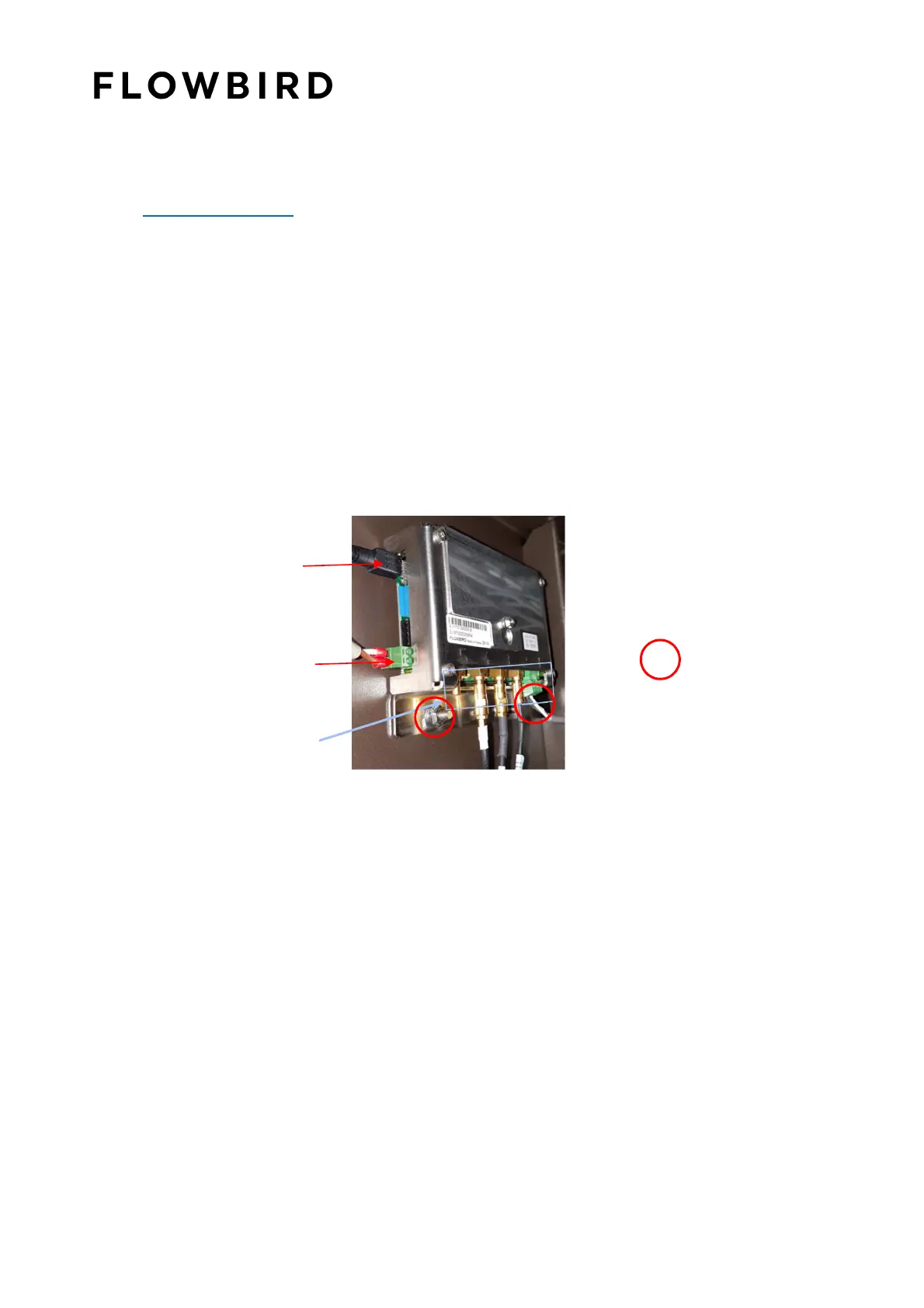
Screw the two bolts holding the CLESS READER.
Connect the cables on CLESS reader.
Press the power button device of the CPU.
Perform a functional test using the "test connection map" from the menu
EMS "travel card reader.
Power
supply cable
Communication
cable
Antenna cable
Fixing nut (x2)



 To Next Page