- 11 -
OPERATION
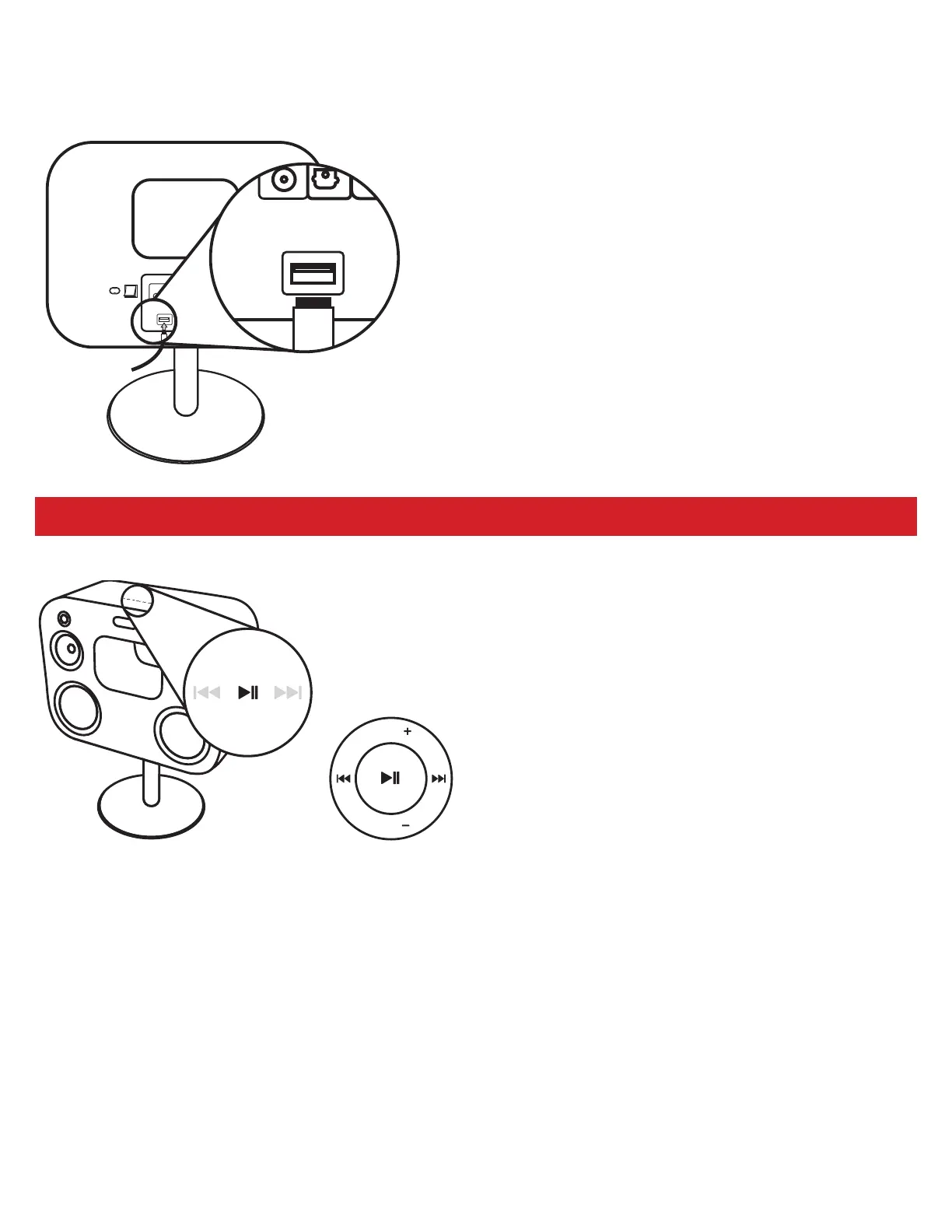
USB Charging Port
The USB Charging Port allows for quick and easy charging of
your smartphone or tablet while still enjoying your music. The
USB input cannot be used for playback.
1. Connect one end of the USB Cable to the 2.1 A USB Charging
Input on the Fluance Fi70.
2. Connect the other end of the USB Cable to your
Smartphone/Audio Device.
3. You can continue to enjoy your music using your
Smartphone/Audio Device while it is charging.
USB port is for charging smartphone and tablets only.
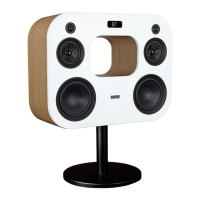
Reset Pairing
The Reset Pairing button is used to unpair another paired
device, allowing you to connect a new device to the Fluance
Fi70.
1. Press and hold the Play/Pause button on the Fluance Fi70
to break any existing Bluetooth connections.
2. The unit will search for a new device for 30 seconds. After
30 seconds, if no new connection is made, it will auto-pair
back to the previous device.
3. You can also unpair the connection directly from your
Smartphone by disabling the Bluetooth connection.
VOL
VOL
BAS
TRE
TRE
TREBLE
BASS
BAS
VOL
VOL
BAS
TRE
TRE
TREBLE
BASS
BAS
VOL
VOL
Touch Panel Remote Buttons


 To Next Page