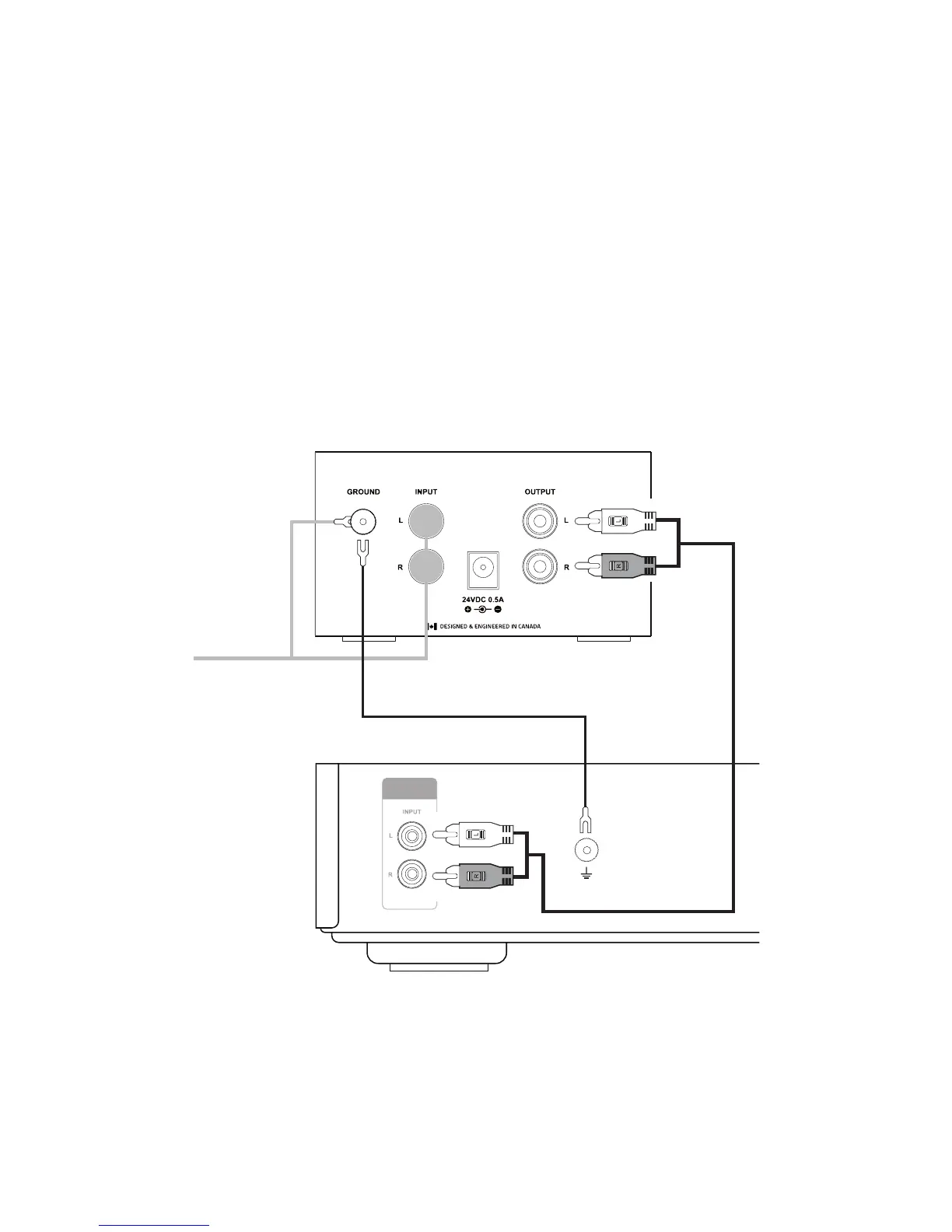
Amplifier/Powered Speaker Connection
1. Connect an RCA cable and ground cable to the RCA Output
and Ground Terminal on the PA10.
2. Connect the RCA and ground cables to an RCA input and
ground terminal on your amplier or powered speakers.
Note: If there is no ground terminal on your powered speakers/ampli-
er loosening a screw on the chassis, inserting the ground cable, and
tightening the screw can achieve the same result.
IMPORTANT: Do not connect the RCA line output of the PA10 to
any input labeled PHONO on your amplier or powered speakers.
A PHONO input may use an internal preamplier, which can over
amplify the audio signal potentially damaging your speakers.
AUDIO



 To Next Page