Fluance RT80/RT81/RT81P User Manual
8
Step Four: Dust Cover Installation
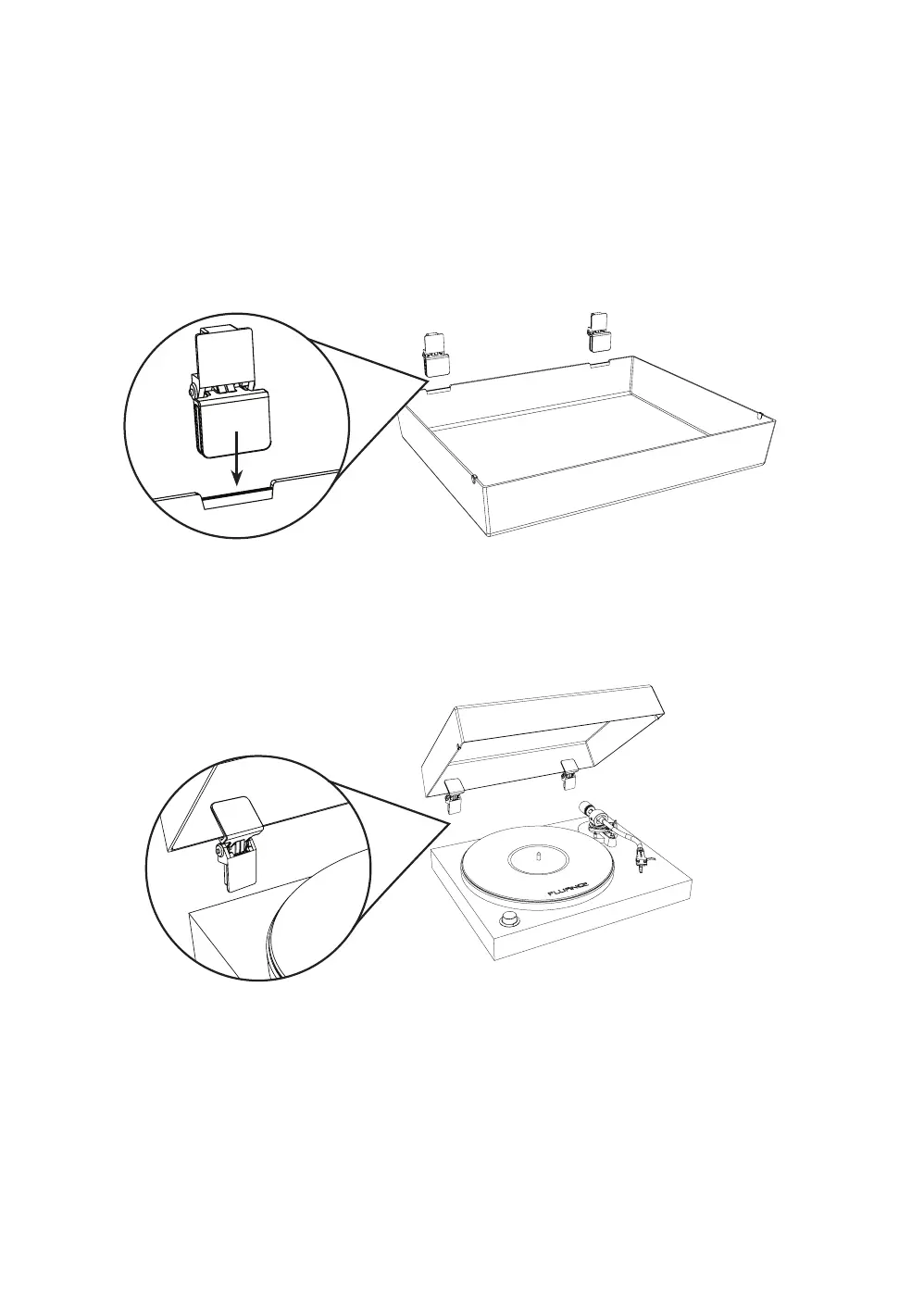
1. Install the hinges on the provided grooves located on the back of the dust cover.
Important: Place dust cover on a soft surface to avoid scratching it.
CAUTION: The hinges are spring loaded and can close with strong force.
Use caution when installing.
2. Carefully open the hinges on the dust cover and insert into the hinge mounts
installed on the back of the turntable.



 To Next Page