Fluid Management Customer Service 1 . 800 . 462 . 2466
26 | Accutinter 7000HS
Basic Operations
Adjusting formulas
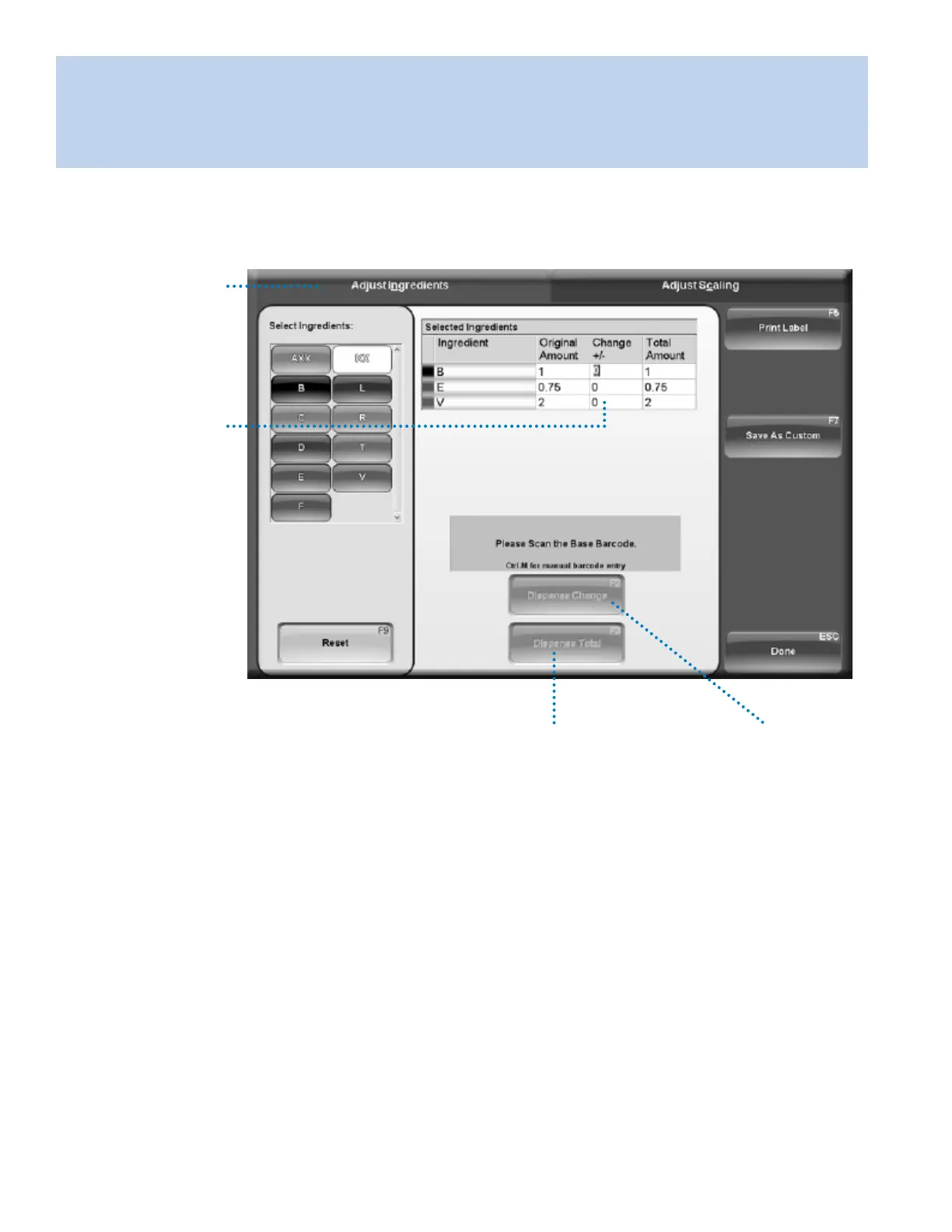
Color formulas can be modified to adjust lightness, darkness, and modify existing formulas. From any tab in
the Dispense Menu, click Adjust (F6) after a formula is selected.
Adjust Ingredients
On the Adjust
Ingredients tab, the
original formula colorant
amounts are displayed.
Selected Ingredients
In the Change +/- fields,
type the amount to add
or subtract from the
original formula for
each colorant. The totals
will change based upon
amounts you enter.
Dispense Change
Click Dispense
Change (F2) to
dispense the
incremental added
colorant amounts.
Dispense Total
Click Dispense Total
(F3) to dispense the
original formula plus
adjusted amounts.


 To Next Page