13
Connecting to TV
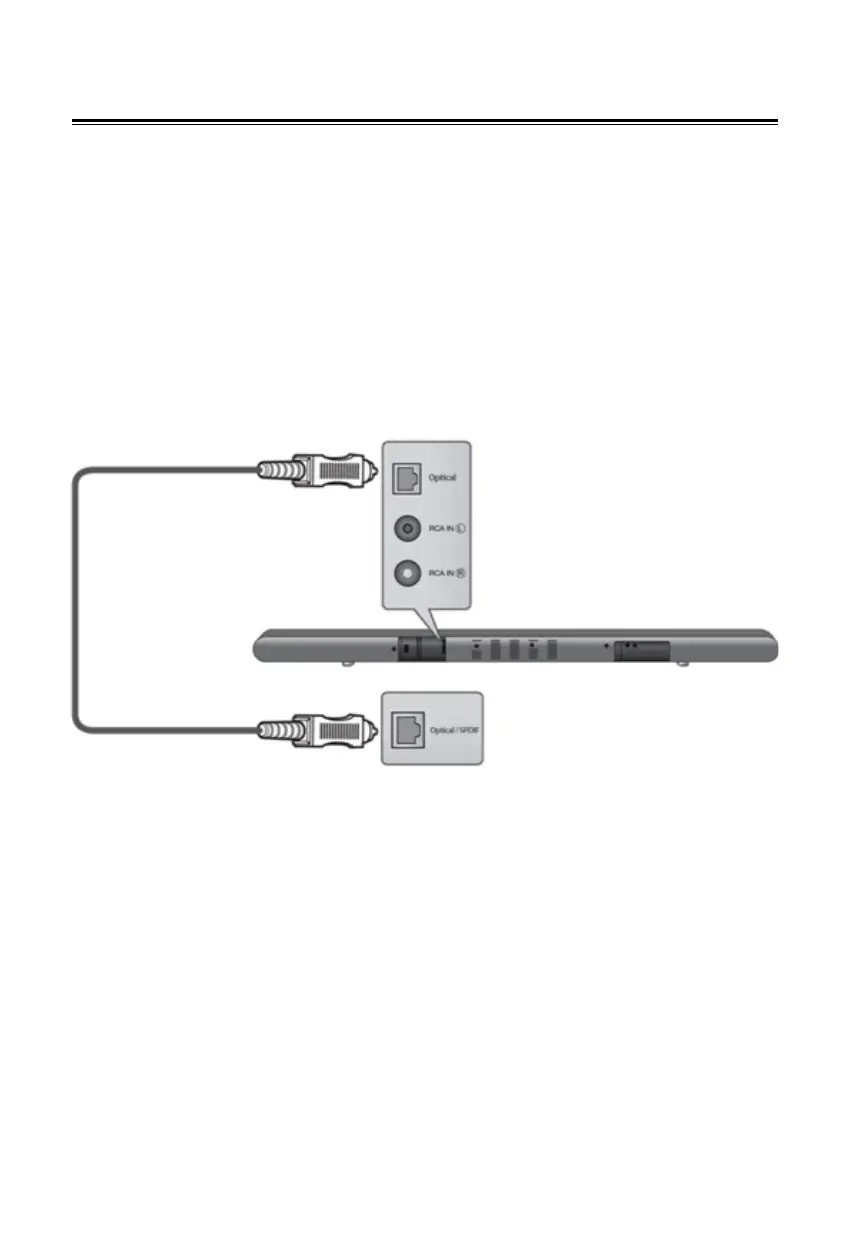
Connecting to TV using Optical input
You can enjoy the sound from your display device with a digital
optical connection through your soundbar.
1. Connect the optical audio output of your device into the
SOURCE 1 (Optical) on the main unit.
2. Turn on the connected devices.
3. Press Optical key on the remote control to select optical
audio input on the soundbar.


 To Next Page