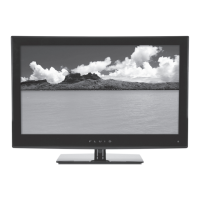
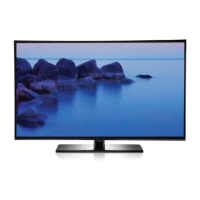
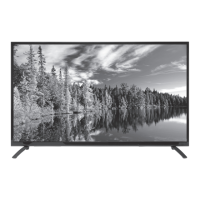
If your Fluid LED TV has no sound, first ensure that the 'Mute' function is turned off. Then, verify that the volume is not set too low. Finally, check that all external leads are properly connected if you are using them.
C
Courtney SmithAug 22, 2025
How to fix a Fluid FLDC2802 that is dead with no LED light?
C
Christopher CarterAug 22, 2025
If your Fluid LED TV is dead and has no LED light, start by checking all connections to the TV’s AC socket to ensure it's receiving power. If the connections are secure, press the Power button or the Standby button on the remote control to take the TV out of Standby mode.
V
vanessamorganAug 25, 2025
What to do if the Fluid FLDC2802 remote control does not function?
M
Megan WoodwardAug 25, 2025
If the remote control for your Fluid LED TV isn't working, first check that the batteries are installed with the correct polarities. If that doesn't work, try turning the unit off and then back on. Alternatively, turn off the unit, disconnect the AC power cord for 5 to 10 minutes, and then reconnect it.
M
Michael MasonAug 26, 2025
How to turn on Fluid FLDC2802 LED TV if it has no power?
N
Nathan WilsonAug 26, 2025
To turn on your Fluid LED TV, ensure the power cord is securely plugged into the power outlet. Try unplugging it and plugging it back in tightly.
D
Derrick StaffordAug 28, 2025
Why does my Fluid LED TV show a blue screen?
D
Dale KingAug 28, 2025
If your Fluid LED TV is showing a blue screen, it might be due to no signal or an incorrect source being selected. Press the SOURCE button to select the correct source.
A
Ashley ShawAug 30, 2025
How to troubleshoot no sound on Fluid LED TV?
T
Thomas MoralesAug 30, 2025
If there is no sound on your Fluid LED TV, ensure the equipment is connected properly. Also, make sure that the TV or audio equipment is not muted and that the audio output setting is correct.
H
hburtonSep 1, 2025
What does it mean when Fluid LED TV says signal is out of range?
T
Tammy MitchellSep 1, 2025
If your Fluid LED TV displays 'The signal is out of range', try adjusting the resolution, horizontal frequency, or vertical frequency. Also, check whether the signal cable is connected properly or is loose, and verify the input source.
R
robertcoleSep 2, 2025
How to improve noisy or snowy picture on Fluid FLDC2802?
J
Joanna WarnerSep 3, 2025
To improve a noisy, snowy, or ghosting picture on your Fluid LED TV, especially when using an indoor antenna, try adjusting the antenna position. Also, check the antenna connections to ensure they are secure.
C
Crystal JacobsSep 4, 2025
What to do if Fluid LED TV unit or remote is not functioning?
W
Wesley ReidSep 5, 2025
If your Fluid LED TV unit or remote is not functioning, try turning the unit off and then back on. Alternatively, turn off the unit, disconnect the AC power cord for 5 to 10 minutes, and then reconnect it.
A
Andrew GraySep 7, 2025
What to do if Fluid FLDC2802 cannot read disc?
D
Debbie RamirezSep 7, 2025
If your Fluid LED TV cannot read a disc, and if the disc is scratched or defiled, change the disc. If the code of the disc is different from the code of the unit, change the disc. If there is a PAL to NTSC error, set the video output as AUTO.



 To Next Page
 General