EasyManua.ls Logo

Fluke 6062A - Page 36

Fluke 6062A
86 pages
Print Icon
To Next Page IconTo Next Page
To Previous Page IconTo Previous Page
Loading...
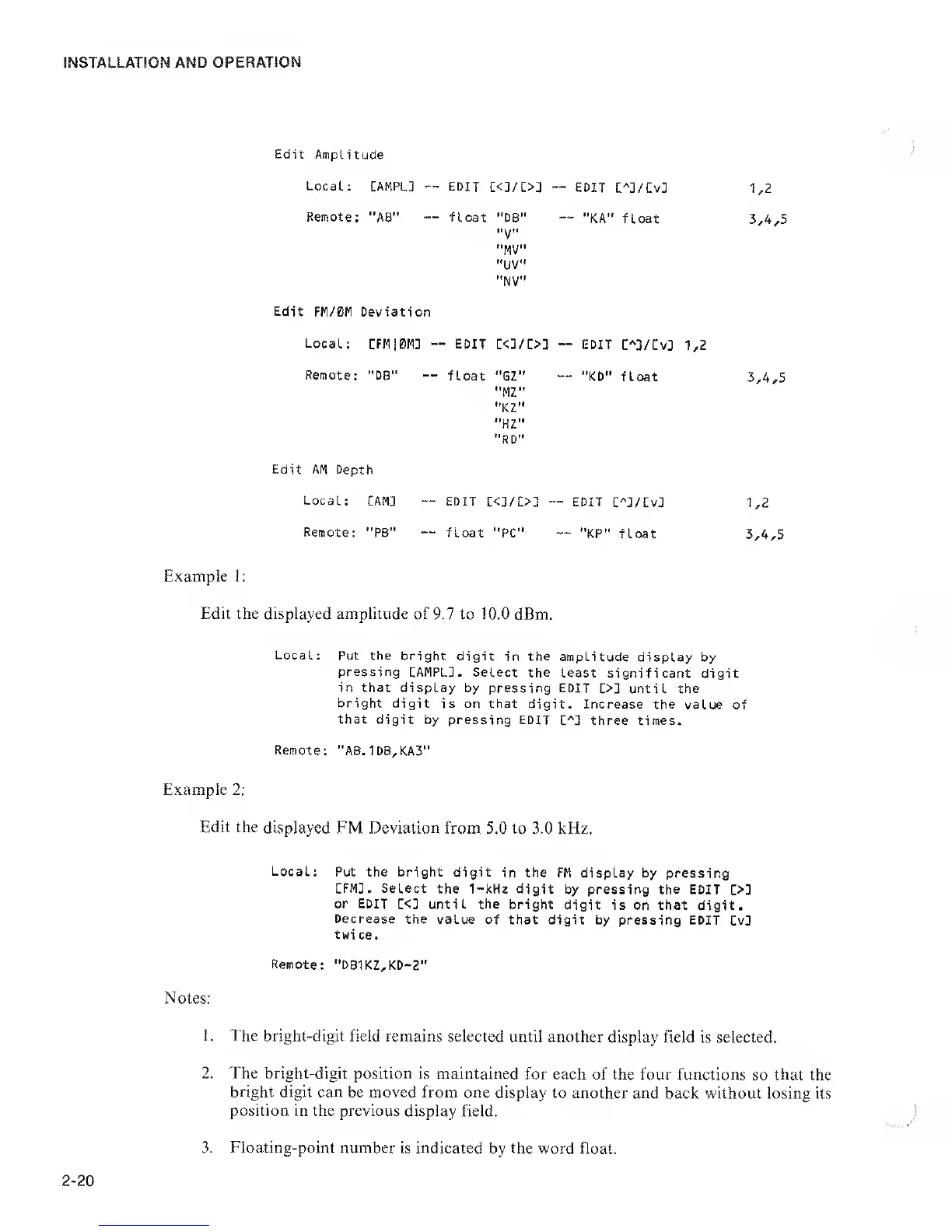
Edit
Amplitude
Local; CAMPL3
EDIT
C<3/C>3
EDIT
:^]/Cv3
1,2
Remote:
"AB" float
"D8"
"V"
"MV”
"UV"
"NV"
"KA" float
3,4,5
Edit
FM/0M Deviation
Local;
CFM10M3
-•
-
EDIT
C<3/[>3
--
EDIT
:^3/Cv3
1,2
Remote:
“DB"
float "GZ"
"MZ"
"KZ”
"HZ"
"RD"
"KD" float
3,4,5
Edit AM Depth
Local;
CAM3 EDIT
i:<3/C>3
-
EDIT
C''3/Cv3
1,2
Remote:
"PB" float
"PC"
"KP" float
3,4,5
Example !:
Edit the displayed amplitude
of 9.7 to 10.0 dBm.
Local;
Put the
bright digit
in
the
amplitude
display by
pressing
EAMPLJ . Select the
least
significant digit
in that
display by pressing EDIT
03 until
the
bright
digit is on that
digit. Increase the
value of
that digit
by pressing EDIT
C'']
three times.
Remote:
"AB.1DB,KA3"
Example 2:
Edit the
displayed FM Deviation
from 5.0 to 3.0
kHz.
Local;
Put the bright
digit
in
the
FM display by pressing
CFM3. Select
the 1-kHz digit
by pressing the EDIT
03
or EDIT
C<3 until the bright
digit is on that
digit.
Decrease
the value
of that digit by
pressing
EDIT
CvD
twi ce.
Remote: "DB1KZ,KD-2"
Notes:
1. The
bright-digit field remains
selected until another
display field is selected.
2. The bright-digit
position is maintained
for each of the four
functions so that the
bright
digit can be moved from
one display to another
and back without losing its
position in the previous
display field.
2-20
Floating-point
number is indicated by the
word float.

Related product manuals