5 6
18. IMPORTANT: The maximum operating pressure is 0.04 Mpa
/ 0.4 bar / 5.8 PSI. Do not connect the UVC Clarier to the
public water supply.
19.
SAVE THESE INSTRUCTIONS
INSTALLATION
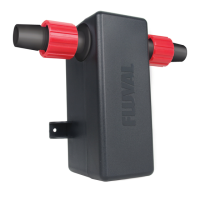
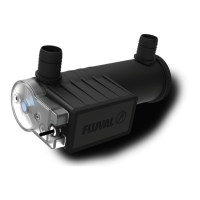
The FX UVC In-Line Clarier has several
mounting options. Scan the QR code
or visit the weblink below to view
detailed installation instructions
for the application that best suits
your needs.
https://uvalaquatics.com/fx-uvc-im/
REPLACING THE BULB
CAUTION: This appliance must be unplugged when not
in use and prior to the changing of any parts. Never
yank the cord from the outlet.
The UVC bulb has a long life, we recommend replacing the bulb
every 2 years.
1. Make sure the canister lter is unplugged.
2. Make sure the UVC unit is unplugged.
3. Remove the bulb cover by unscrewing
the two screws with a screwdriver (1).
4.
Gently push the tension tab on the bulb connector inward to
unlock it from the UVC unit and pull outward to release. (2)
5. Remove the bulb from the quartz sleeve. (3)
6. Remove the gasket. (4)
7. Insert the new gasket (equipped with the new blub).
8. Insert the new bulb into the quartz-sleeve.


 To Next Page