36 / 84 Attachment FLUXTRONIC Automatic Mode
RUN
2.1 Operating the FLUXTRONIC
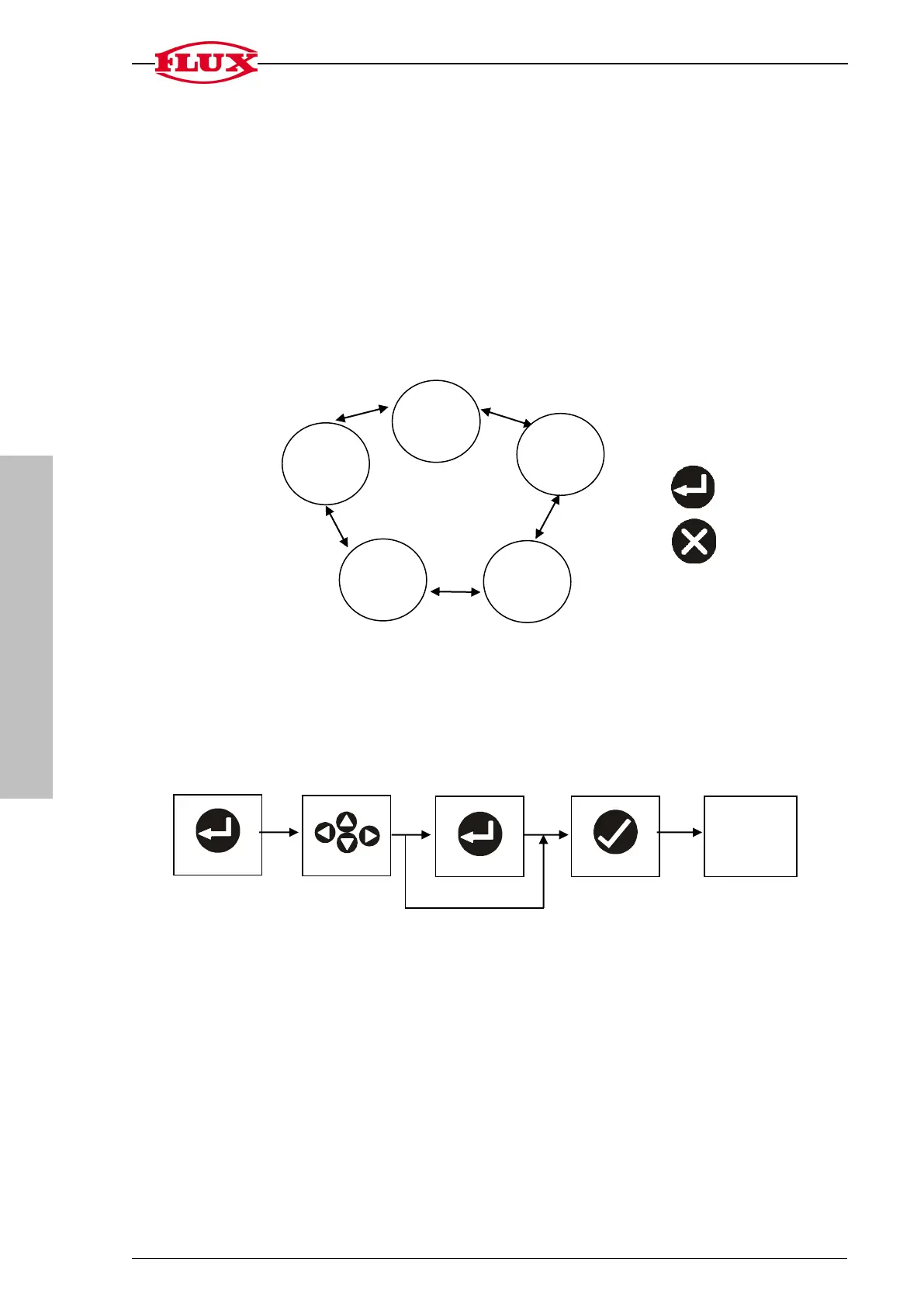
The FLUXTRONIC contains five separate items.
The user can switch between the items at any time using the Up and Down keys.
The key figure for each respective item is displayed.
1 START: The volume to be filled is displayed
2 TOT: The total volume is displayed
3 FLO: The flow rate is displayed
4 CAL 0: The current calibration constant is displayed
5 SET: General settings
2.2 The Operating Concept
All of the settings are inputted using the following operating concept.
Process Select Process Operate Default display
(left/right
up/down)
The current and possible settings can be quickly seen by feedback in the Info line and
by the flashing symbols.
Process


 To Next Page